 how-to
How to Buy a Refurbished Laptop Safely and Cheaply
Last Updated: November 8, 2026
Quick Summary
To buy a refurbished laptop safely, read the full listing, confirm what is included, and check for a test report and stated battery health before you bid. Then add shipping, missing parts and any needed repairs to find the true cost.
- Check whether the listing includes an operating system and a charger before bidding.
- Look for a test report that names specific results, not just a general claim that the laptop works.
- A battery should keep at least 80% of its original capacity, according to Alamo Geeks.
- Refurbished laptops often cost 30% to 50% less than new, per Dr. Memory, though extras can close that gap.
- Add shipping, fees, charger, license and repair costs to the bid price to compare listings fairly.
Table of Contents
- What to Look for in a Refurbished Laptop Before You Bid
- Refurbished Versus Used: Knowing What You Are Buying
- How to Check a Seller's Reputation and Refurbishment Process
- Reading Condition Grades, Battery Health and Test Reports
- Refurbished Laptops with Windows 11: Checking the Operating System
- Factory Refurbished Laptops and Warranty Coverage
- Total Cost and Finding Refurbished Laptops Under $100
- Placing Your First Bid on KVSAuctions.com
- Frequently Asked Questions
What to Look for in a Refurbished Laptop Before You Bid
Knowing how to buy a refurbished laptop starts with knowing what to check before you bid.
The U.S. refurbished laptop market is growing. Research and Markets values it at USD 8.68 billion in 2026, with a projected 5.6% annual growth rate through 2030 (Research and Markets refurbished laptop market forecast).
Start with three questions for every listing:
- What exactly is included? Some items arrive without an operating system or charger.
- Has the unit been tested? Look for a stated test result, not just a description.
- What is the battery health? Battery condition is one of the most common surprises.
Read the full description before placing a bid. At KVSAuctions.com, some items are sold incomplete and are meant for buyers with the technical skill to finish them.
Refurbished Versus Used: Knowing What You Are Buying
A refurbished laptop has been tested, repaired where needed, and graded. A used laptop may have been sold as-is with no testing. That difference shapes the price, the risk and the support you can expect.
Refurbished laptops are projected to make up 74.0% of the refurbished computers and laptops market in 2026 (Future Market Insights refurbished computers and laptops analysis).
Expect these differences:
- Testing: Refurbished units go through hardware checks. Used units often do not.
- Condition grading: Refurbished listings usually describe cosmetic wear. Used listings may not.
- Warranty: A warranty on a refurbished unit is more common, though its terms vary.
Used devices can sometimes cost less, but warranty claims can be difficult.
How to Check a Seller's Reputation and Refurbishment Process
Before you trust a seller, find out how they test and prepare devices. Ask whether the unit was tested with a documented process and whether a test report is available. At KVSAuctions.com, many listings include a PDF test report you can review before bidding.
Check these points:
- Is there a test report? A specific report with results beats a general claim.
- Are the failures disclosed? A listing that names failed ports or a bad microphone is more trustworthy than one that says "works great."
- Is the operating system stated? Know whether you will get a clean install or a blank drive.
Every item listed for sale is rigorously tested and certified to work, and only verified buyers can take part in bidding.
Reading Condition Grades, Battery Health and Test Reports
Condition grades describe cosmetic wear, but they do not tell you how the machine performs. Read the test report for hardware results, and read the battery figure separately. Build a repeatable inspection routine you run on every listing and every device you receive.
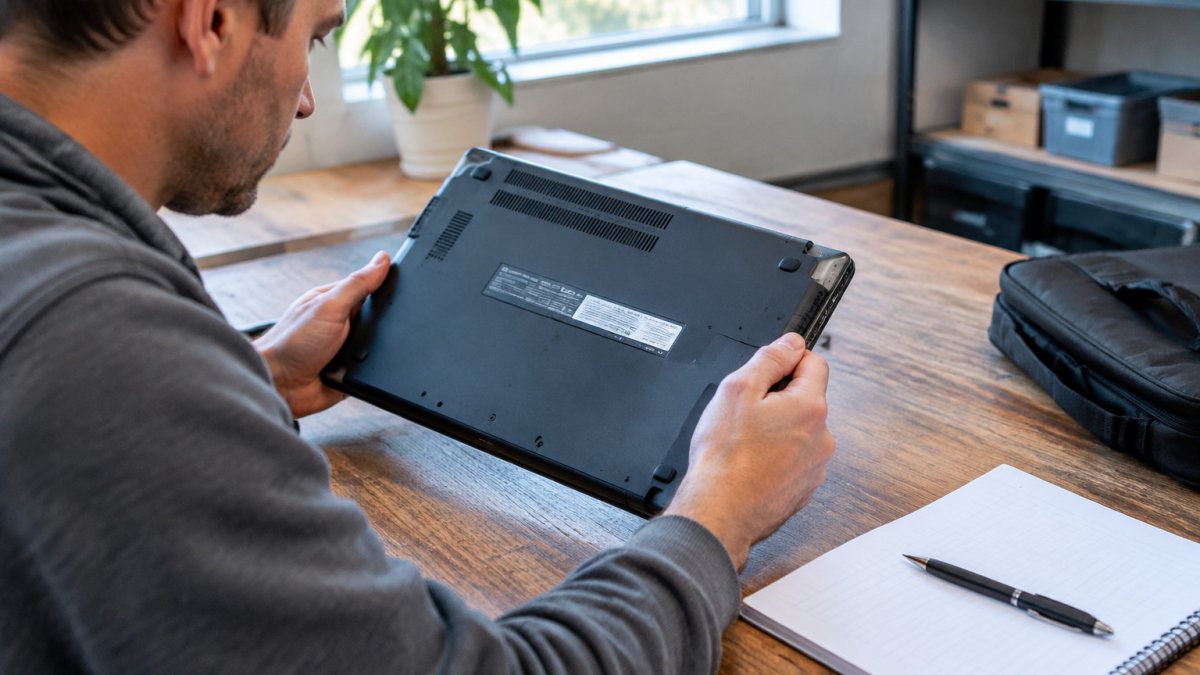
What the condition grade actually means
Most sellers use a three- or four-tier scale, and the labels are not standardized across the industry. A common pattern is:
- Grade A / Excellent: light or no visible wear, screen free of scratches, keyboard legends intact.
- Grade B / Good: minor scuffs on the lid or palm rest, possible small screen marks that are not visible when the display is on.
- Grade C / Fair: visible scratches, dents, or shine on the keys; the device is functional but cosmetically rough.
Ask the seller to define their grades in writing. A grade label without a definition is marketing, not a specification.
Battery health: how to check it and what to accept
Battery capacity is reported as a percentage of the original design capacity.
You can verify the figure yourself in a few minutes:
- Windows: open Command Prompt and run
powercfg /batteryreport. The HTML report shows design capacity, full charge capacity, and cycle count. Divide full charge by design capacity to get the health percentage. - macOS: open System Information, then Power, and compare "Cycle Count" and "Maximum Capacity" against Apple's published limits for the model.
- Linux: read
/sys/class/power_supply/BAT0/energy_fullandenergy_full_design, or useupower -ifor a summary.
Cycle count matters as much as capacity. A battery with 85% capacity but 900 cycles is closer to replacement than one with 85% capacity and 200 cycles.
Replacement cost changes the math. Add the cost of a replacement battery to the bid price before you decide the listing is cheap.
The pre-purchase inspection checklist
Use the same checklist on the listing photos, the test report, and the device when it arrives.
- Display: look for dead pixels, bright spots, pressure marks, and backlight bleed on solid black and white images. Check the hinge for wobble.
- Keyboard: press every key, including function keys and the space bar, and confirm none stick or fail to register.
- Trackpad and pointing stick: confirm click, tap, two-finger scroll, and palm rejection.
- Ports: test every USB-A, USB-C, HDMI, Ethernet, audio jack, and SD slot.
- Webcam and microphone: record a short clip and play it back to confirm audio.
- Wireless: connect to a 5 GHz Wi-Fi network and pair a Bluetooth device.
- Storage: confirm the drive model, capacity, and health via SMART status on Windows or Disk Utility on macOS.
- Battery: run the capacity and cycle-count check above, then unplug and confirm the device holds a charge for at least an hour under light load.
- Charger: confirm the correct wattage and connector, and that the plug seats firmly.
- Accounts and locks: confirm the device boots to a clean setup screen, not a previous owner's account, and that no BIOS or firmware password blocks changes.
Reading the test report line by line
Pay attention to these details in a test report:
- Stress-test results, including any failed components
- Battery capacity as a percentage of original, plus cycle count if available
- Port and wireless checks, such as USB, microphone and Wi-Fi
A listing that reports failed USB ports or Wi-Fi is not necessarily a bad buy. It may be fine for a buyer who needs only a basic machine. It is a poor fit for someone who needs every port to work.
Refurbished Laptops with Windows 11: Checking the Operating System
Operating system status changes the value of a laptop. Some listings include a fresh Windows 11 installation. Others arrive without any operating system.
KVSAuctions.com lists several models in each case. For example, one ThinkPad is sold with no operating system and no charger, while a Dell Latitude 3380 includes a fresh Windows 11 Professional installation and a charger.
Before you bid, confirm:
- Is Windows 11 installed? If not, plan for the license cost.
- Is it Windows 11 Home in S Mode? S Mode limits which apps you can install.
- Does the BIOS unlock? Some listings note an unlocked BIOS, which matters for later changes.
If you plan to install Linux or a different system, a unit with no operating system may suit you better.
Factory Refurbished Laptops and Warranty Coverage
A factory refurbished laptop is repaired and tested by the manufacturer or an authorized process. Warranty coverage depends on the seller and the listing, so read the terms for each item.
Warranty length and start dates vary. Check how long the warranty lasts, what it covers, and whether it starts at purchase or delivery.
At KVSAuctions.com, we back our process with secure transactions. Every financial transaction is secured, and bidding is limited to verified buyers.
Total Cost and Finding Refurbished Laptops Under $100
The bid price is not the full cost. Add shipping, fees, the cost of a missing charger or operating system, and any repairs. The only reliable way to compare two listings is to build a total cost of ownership for each one before you bid.
Build a total cost of ownership for every listing
Use this worksheet. Fill in each line for the listing you are considering, then compare the totals side by side.
- Bid price: the number on the listing.
- Buyer's premium or auction fees: check the terms; a percentage of the hammer price is common.
- Shipping and handling: often $15 to $40 for a laptop, more for lots.
Add the lines. A $60 laptop with no charger, no operating system, and a battery at 70% capacity is not a $60 laptop; it is closer to $200 once you make it usable.
Refurbished laptops often cost less than new ones. Dr. Memory notes that comparable refurbished models may cost 30% to 50% less than new (Dr. Memory refurbished laptop guide).
Worked examples from current listings
For a tight budget, look for listings like these on KVSAuctions.com:
- Dell Latitude 3120, listed at $60.00, with 8 GB RAM and Windows 11 Home in S Mode. It includes a charger in the listing description. Estimated total: $60.00 plus shipping and tax; no charger or license line needed.
- Dell Latitude 3190 2-in-1 lot, listed at $240.00 for two units with Windows 11 Pro. No chargers are included and one unit has no battery.
The second listing is still a reasonable buy if you want two machines and can source parts, but the per-unit cost is higher than the sticker suggests.
Where the under-$100 listings actually come from
None is automatically a bad buy; the question is whether the missing piece is something you can supply cheaply.
- **
- Units missing a charger are fine if the model uses a common barrel size or USB-C Power Delivery; check the wattage before you bid.
- Units missing a battery are a bigger risk on models where the battery is internal and requires disassembly.
Watch out: a sub-$100 listing that also lacks an operating system and a charger can exceed the price of a tested unit with both, so run the worksheet before you bid.
The table below lists the cost lines the article suggests adding to the bid price to find a laptop's true cost.
| Cost item | Typical range | Note |
|---|---|---|
| Bid price | Listing price | The number shown on the listing |
| Shipping and handling | $15 to $40 | Often more for lots |
| Charger | $20 to $45 third-party, $40 to $80 OEM | Needed if the listing omits one |
| Windows 11 Pro license | $100 to $200 retail | Needed if no OS is installed |
| Battery replacement | $40 to $150 | Depends on model and choice of part |
| Storage or memory upgrade | $25 to $80 | Depends on generation |
| Repairs | $50 to $200 | For failed ports, hinge or keyboard |
Placing Your First Bid on KVSAuctions.com
Placing your first bid is straightforward. KVS Auctions is designed to be simple for first-time buyers, and bidding is done online at KVSauctions.com.
Follow these steps:
- Register for an account. Only verified buyers can bid.
- Open the listing and read the full description and test report.
- Check the total cost, including shipping and anything missing.
- Place your bid at a price you can justify, then watch the auction close.
New auctions are posted regularly. Start with a listing that matches your needs, and read every detail before you commit.
Ready to find your next refurbished laptop? Register at KVSAuctions.com and start bidding on tested, certified devices.
Frequently Asked Questions
Is it a good idea to buy a refurbished laptop?
Often, yes. Refurbished laptops can cost less than comparable new models, and buyers increasingly look to them for lower prices. The savings only hold up if you check the condition, battery health and warranty before bidding. A listing that states the test results, the battery capacity and the operating system gives you enough information to judge whether the price is fair for what you are getting.
What should I look for in a refurbished laptop?
Start with the processor, RAM, storage type and screen resolution, then confirm the laptop includes a charger and an operating system if you need one. Check the battery's reported capacity before bidding. Read the seller's test report for failed components such as ports, Wi-Fi or the microphone. A laptop listed without an operating system or charger is still usable, but you will need to budget for those items.
What warranty should a refurbished laptop have?
Look for a written warranty that states its length and what it covers, such as parts, labor and battery. Read the return policy as well, because a warranty can be hard to use if the return window is short. Many auction listings sell as-is, so confirm the terms before placing a bid.