 How-to
How to Buy Government Surplus Laptop/Notebooks Auctions
Last Updated: November 26, 2026
Quick Summary
Government Surplus Laptop/Notebooks Auctions typically cost far less than retail, with a median sale price of $113 per lot since May 2026 across 5,266 tracked sales. The middle half of those sales landed between $57 and $172, so most winning bids sit in triple digits. Register and verify your account days before a lot closes.
- Dell Latitude lots sold for a median of $82 and Lenovo ThinkPad lots for $101 between May and October 2026.
- A 25-unit Dell lot listed at $1,075 works out to roughly $43 per laptop before fees.
- The GSA does not guarantee the condition of sale items, so treat every listing as as-is.
- Budget roughly $25 to $60 for an SSD when a lot ships with no drive included.
- KVS Auctions charges 8% buyer fees compared with the industry's 12% average.
Table of Contents
- How much do government surplus laptop auctions cost?
- Government laptop auction prices by brand and lot size
- Surplus laptop condition and testing: what the listing actually tells you
- Sanitized government laptops: data security and OS readiness
- Laptop auction bidding and pickup: a step-by-step walkthrough
- Mistakes that turn a cheap laptop lot into an expensive lesson
- Register at KVS Auctions and place your first bid
- Frequently Asked Questions
How much do government surplus laptop auctions cost?
Government surplus laptop auctions typically cost far less than retail, with a median sale price of $113 per lot since May 2026 across 5,266 tracked sales, according to GovAuctions' laptop sold-price tracker.
That headline hides variance: a single working Dell Latitude and a pallet of 77 mixed units both count as "one lot," so the average is only a starting point for your budget.
At KVSAuctions.com, we run an online auction marketplace for government surplus laptops, electronics, and refurbished technology.
Government laptop auction prices by brand and lot size
Brand and lot size move the price more than anything else. Between May and October 2026, Dell Latitude lots sold for a median of $82 and Lenovo ThinkPad lots for $101, per GovAuctions' surplus computer guide. Those are brand-specific medians, and they confirm what buyers already suspect: ThinkPads carry a premium.
Lot size cuts the other way: bulk lots spread risk across many units, so per-unit cost drops even when the lot total climbs. A 25-unit Dell lot listed at $1,075 works out to roughly $43 per laptop before fees and added costs.
Here is how the common lot structures compare:
| Lot Type | Typical Size | Price Signal | Best For |
|---|---|---|---|
| Single unit | 1 laptop | Lowest total, highest per-unit | First-time bidders |
| Small brand lot | 20-30 units | $43-$125 per unit | Resellers testing a model |
| Mixed bulk lot | 75-100 units | $60-$65 per unit | Volume resellers |
| Pallet lot | 400+ units | $55-$60 per unit | Parts and refurbishers |
Surplus laptop condition and testing: what the listing actually tells you
Used condition is where bargains become expensive lessons. The General Services Administration states plainly that it does not guarantee the condition of sale items and directs buyers to review sale terms before bidding, per GSA's guide to purchasing surplus property. Treat every listing as as-is until the description proves otherwise.
Reading lot descriptions before you bid
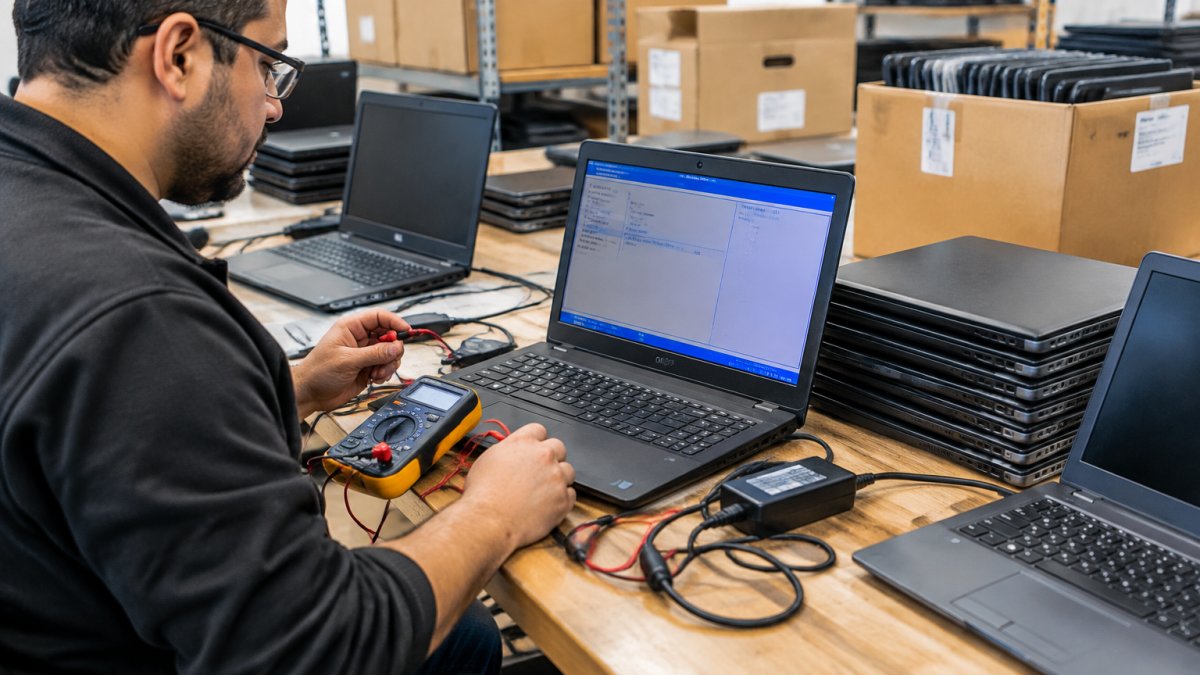
Good listings tell you what was tested and what is missing. Look for phrases like "boots to c: prompt and pass bios diag" or "loaded Windows image successfully."
Then read the negatives with equal care. "No chargers," "some may not have batteries," "bios locked, we do NOT have password," and "no caddies if no hard drive" all change your real cost.
How to interpret testing notes and condition grades
Testing language is not standardized, so translate it into what you will actually receive. A few common patterns:
- "Powers on, no further testing" means the unit lights up and nothing else is confirmed. Assume the drive, battery, and screen are unverified.
- "Boots to BIOS" confirms the motherboard, CPU, and memory initialize, but says nothing about whether an operating system loads or the drive is healthy.
- "Passed diagnostic" is stronger, but ask which diagnostic, a vendor's quick check is not the same as a full memory and storage test.
- "Grade B / cosmetic wear" usually means scratches, scuffs, and possibly a cracked bezel, but functional. Grade C often means functional with missing parts.
- "For parts or not working" means do not expect a usable machine; price it as scrap and parts.
Battery health is the most commonly overstated spec. Listings rarely report cycle count or design capacity, and a laptop that "holds a charge" may hold it for 20 minutes.
Inspecting a lot in person or from photos
When you cannot attend a preview, the photos do the work. Zoom in on screen corners for cracks, keyboard gaps for missing keys, and hinge areas for stress marks. Our guide on what to check in auction item photos before you bid breaks down the specific details worth examining.
Ask one question before bidding: does the lot's PDF inventory list match the photos? If the description says not all laptops are photographed individually, assume the worst units are the ones you cannot see.
Pricing an unknown-condition lot
When the description is thin, price the lot as if every unit needs a drive, a charger, and a battery, then discount for the units that will turn out fine. Estimate the per-unit cost of the missing consumables, add it to the hammer price plus premium, and compare that all-in number to what a tested, working unit of the same model sells for.
Watch out: a lot described as "untested" or "condition unknown" is not a discount, the price already reflects the risk, and the seller knows more about it than you do.
Sanitized government laptops: data security and OS readiness
Sanitized government laptops are devices that had their storage wiped before sale, but "sanitized" and "ready to use" are not the same thing.
Data removal matters. A KHOU 11 investigation reported that an auction-purchased computer contained a database with over 100,000 medical records, per KHOU 11's reporting on surplus computer data.
Plan for the software side before you bid:
- No drive included: budget for an SSD, roughly $25 to $60 depending on capacity
- Drive included, no OS: budget for a Windows license or a free Linux install
- BIOS locked: skip the unit unless you can source a password or replacement board
- Windows image loaded: still reinstall from scratch to clear prior configuration
At KVS Auctions, our parent company is an R2V3 Certified electronics recycler. We still tell buyers to read each description, because some lots are intentionally sold incomplete for technically skilled buyers.
Laptop auction bidding and pickup: a step-by-step walkthrough
Bidding on Government Surplus Laptop/Notebooks Auctions follows a sequence of registration, verification, bidding, payment, and removal, each with its own rules and deadlines.
Here is the process we recommend to first-time bidders, with the mechanics spelled out:
- Register and verify your account. Only verified buyers can participate in bidding on our platform. Have a government-issued ID and a payment method ready, and verify days before a lot closes, not minutes.
- Read the full lot description and terms. Confirm condition, what is included, payment deadline, and removal window. The terms page, not the photos, is the binding document.
- Understand the bidding mechanics. Most platforms use a live ascending clock or a proxy (maximum-bid) system. In a proxy system you enter your ceiling and the platform bids for you in fixed increments. In a live-clock system every bid resets or extends the clock, which is why lots can stay open past the posted end time.
- Set your maximum bid before you start. Write it down and do not adjust it mid-auction. Your maximum should be your true total minus premium, tax, freight, and repair, not the number you hope to pay.
- Watch the end time and the extension rule. A lot showing "2 minutes remaining" can run another 10 or 15 minutes if someone bids.
- Pay within the stated deadline. Late payment can forfeit the lot and your deposit; most sales require payment within a few business days.
- Schedule removal or shipping. Confirm pickup location, hours, and whether you need a truck or pallet jack.
- Inspect on arrival and document everything. Photograph the lot before you load it and note any discrepancy before you leave the site.
Watch out: a deposit or pre-authorization is often required to bid and can be forfeited if you win and fail to pay, read the deposit terms before you register.
Bid increments, proxy bidding, and what happens after you win
After you win, the sequence is fixed. You receive an invoice with the hammer price plus buyer's premium, applicable sales tax, and any card surcharge, due by the stated deadline. Once payment clears, you get a removal authorization or pickup appointment. Miss the removal window and storage fees accrue daily, sometimes exceeding what you paid; in some cases the agency can resell the lot and keep your payment.
Calculating your real total cost
Hammer price is not your cost. Our step-by-step guide on how to calculate the auction final price walks through the math, and our breakdown of government auction buyer fees explains how premiums and deposits change your total.
A quick example: a $1,075 lot with an 8% buyer's premium adds $86, before tax and transport. If you are buying bulk, our guide on how to buy bulk laptops at government surplus auctions covers judging condition and setting a bid budget across larger lots.
Payment, removal, and shipping logistics
Shipping is not always included, so confirm freight and pickup arrangements before bidding.
Mistakes that turn a cheap laptop lot into an expensive lesson
The most common mistake is bidding on the hammer price and forgetting everything attached to it. A $500 lot plus $400 in chargers, drives, and freight has not saved anything.
Watch out: bidding on a lot without opening the attached PDF inventory. That file often lists the exact models and known damage, and skipping it is how buyers end up with 25 units of the wrong generation.
-
Assuming batteries are included when the description never says so
-
Ignoring BIOS-locked units until after payment
-
Forgetting that "as-is" means no returns unless the listing states otherwise
-
Underestimating the time needed to reimage dozens of machines
The fix is unglamorous. Read the full description, calculate the true total, and bid only what the lot is worth after your added costs.
Register at KVS Auctions and place your first bid
The surplus market rewards preparation over speed. Know the median price for the brand you want, read the condition notes line by line, budget for drives and chargers, and confirm removal terms before you commit.
KVS Auctions works directly with government agencies to source its inventory, and our buyer fees are 8% compared with the industry's 12% average. Only verified buyers can bid, and every financial transaction is secured.
You can browse current laptop lots and see what is live right now.
The difference between a good surplus buy and a bad one usually comes down to ten minutes of reading before you bid. Start with a single lot, calculate your true total, and let the results guide your next move. Get started with KVS Auctions and bid on tested, certified surplus laptops with fees that stay out of your margin.
Frequently Asked Questions
What should you check before bidding on a surplus laptop?
Read the full lot description first. Check whether hard drives, batteries, and chargers are included, whether the units boot or pass BIOS diagnostics, and whether any are BIOS locked. Confirm the lot quantity and whether every unit is photographed. Then calculate your total cost: hammer price plus buyer's premium plus removal or shipping. At KVS Auctions, buyer fees run 8%, and some lots are sold incomplete for technically skilled buyers, so the description is the contract.
Are government surplus laptops tested or refurbished?
It depends on the seller. Many lots are sold as-is, and some are sold incomplete, for example without a hard drive or operating system. KVS Auctions is operated by an R2V3 Certified electronics recycler, and every used device listed is tested and certified to work by trained technicians, though incomplete lots still require the buyer to supply missing parts.
How much do government surplus laptops typically sell for?
Sale prices vary with brand, lot size, and condition. Bulk lots spread the cost per unit lower, but add freight and missing-part costs before you compare against retail.
Are government auction laptops sanitized before sale?
Do not assume it. Treat any drive that arrives with the machine as untrusted. Wipe and reinstall the operating system yourself before use, or buy lots sold without drives. KVS Auctions describes incomplete lots in each listing, but the buyer should still verify storage before putting a machine into service.