 Ultimate guide
7 Laptop Accessories That Matter Most for Buyers
Quick Summary
Laptop accessories that matter most are a working charger, a protective sleeve or case, and an external keyboard and mouse for long sessions. A charger matters most because a refurbished laptop often ships without one. Confirm the connector type and wattage before buying any laptop accessories.
- Confirm the charger's connector type and wattage against the laptop's specification label.
- A used laptop may ship without a charger, so budget for one separately.
- Our 30 assorted HP laptop chargers are listed at $70.00.
- Battery health matters: one ThinkPad E14 unit reports 77% of original capacity.
- Enable full-disk encryption and back up files before using a refurbished laptop.
Table of Contents
- How Much Does a Laptop and Supplies Setup Cost?
- Choosing a Laptop: A Buying Guide for Different Users
- Refurbished Laptops: What to Check Before You Bid
- Essential Laptop Accessories and What Each One Does
- Laptop Maintenance and Repair: Keeping a Used Machine Running
- Budget Planning: Total Cost of Ownership for Your Setup
- Start Your Laptop Setup at KVSAuctions.com
- Frequently Asked Questions
How Much Does a Laptop and Supplies Setup Cost?
Buying refurbished and used equipment can cost far less than new, which is why many buyers start with surplus equipment. At KVSAuctions.com, our refurbished Lenovo ThinkPad E14 listing starts at $110.00, while a Lenovo ThinkPad T14 Gen 2 starts at $190.00.

Start by listing the parts of your setup: the laptop, a charger, a bag or sleeve, and any accessories you actually use. Then decide which items you must have now and which can wait.
Watch out: buying a laptop without a charger can leave you with a machine you cannot power until you buy one. Check whether the listing includes a power adapter before you bid.
The article's listed prices show how much a basic setup can cost before accessories are added.
| Item | Price | Note |
|---|---|---|
| Lenovo ThinkPad E14 (refurbished) | $110.00 | Starting price |
| Lenovo ThinkPad T14 Gen 2 | $190.00 | Starting price |
| HP laptop chargers (30 assorted) | $70.00 | Check connector type |
Price
Choosing a Laptop: A Buying Guide for Different Users
The right laptop depends on how you plan to use it, not on the lowest price. A student writing papers needs different specs than a technician running diagnostic software or a reseller testing hardware before listing it again.
For basic work such as web browsing, documents and video calls, an Intel Core i5 with 8GB of RAM and a 256GB SSD handles the job well. You can also compare cheap refurbished laptops with warranty coverage. For a full walkthrough, see step-by-step guide to buying a refurbished laptop safely and cheaply.
Keep the buyer's skill level in mind. Some surplus laptops arrive without an operating system or with the BIOS unlocked, which suits technically confident buyers who can install their own software. Everyone else should favor a machine that arrives ready to use.
Federal Trade Commission guidance on buying used and refurbished products
Refurbished Laptops: What to Check Before You Bid
Refurbished laptops vary widely in condition, so read each listing closely before you commit. Look for the test results, the battery capacity, and any notes about missing parts.
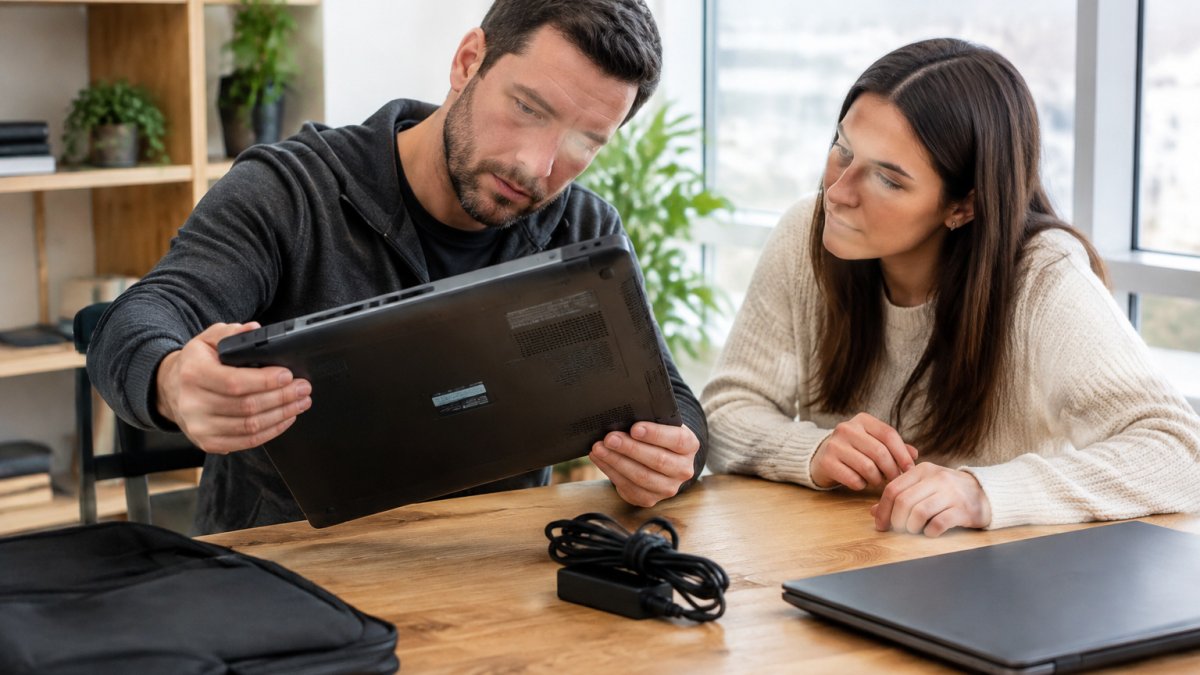
Battery health deserves close attention. A listing reporting 77% of original capacity, as on one of our Lenovo ThinkPad E14 units, will run noticeably shorter than a new battery. The Dell Latitude 7480 reports 93%, which is much closer to new.
Check the cosmetic and functional notes too. Some machines have keys that need extra force, scuffs, or sticker residue, while others are cosmetically clean but failed a port test. To understand what each refurbished grade means for condition, see refurbished laptop grades explained.
Here is a quick checklist to run through before you bid:
- Confirm whether an operating system is included
- Confirm whether a charger is included
- Read the battery capacity percentage
- Check which tests passed or failed
- Review the cosmetic condition notes
Essential Laptop Accessories and What Each One Does
A small set of accessories covers most needs, but the right set depends on your laptop's ports, your operating system, and how you move between locations. Prioritize what protects and powers the laptop before adding anything for comfort.
Accessories are where many buyers overspend, so buy only what your work requires. A power adapter is essential if the laptop ships without one. A carrying sleeve protects the screen during travel. An external mouse and keyboard help with long sessions. Each accessory should solve a specific problem you actually have.
Our listing of 30 assorted HP laptop chargers, priced at $70.00, is available if you need spare power adapters. Confirm that the connector type matches your laptop before buying.
Chargers and Power Adapters
A charger is the accessory most likely to decide whether a refurbished laptop is usable on day one. Match the wattage and connector to the laptop's specification label, since a mismatched adapter can underpower the machine or fail to charge it at all.
Keep a spare charger for work and one for home if you move a laptop between locations. Chargers are inexpensive to replace in bulk, but a missing one can leave a perfectly working machine idle.
Watch out: USB-C cables vary in the power they carry. A cable rated for 60W may throttle charging on a 90W laptop, so match the cable's rating to the adapter and laptop.
Cases, Sleeves and Carrying Protection
A sleeve or hard case protects a used laptop from drops, pressure and dust. Choose one sized to your laptop's screen, since a loose fit allows the device to slide and absorb impacts at the corners. For a 14-inch ThinkPad, a sleeve listed for 14-inch laptops generally fits, but check the internal dimensions against the laptop's actual width and depth, because bezel size varies by model.
Carrying protection matters most for surplus machines that already show cosmetic wear. A padded sleeve costs little compared with the repair or replacement of a cracked display.
Keyboards, Mice and Ergonomics
An external keyboard and mouse matter more for long sessions than for occasional use. Look for a keyboard that matches your operating system layout, since Windows and macOS keys differ. A mouse with adjustable DPI helps on high-resolution screens, and a vertical or ergonomic mouse can reduce wrist strain during all-day work.
Position the external keyboard so your elbows stay near 90 degrees and the screen sits at eye level. A laptop stand plus an external keyboard achieves this without a separate monitor.
Monitors and External Displays
An external monitor extends screen space for spreadsheets, code, or side-by-side documents. Check the laptop's video output first: HDMI, DisplayPort, or USB-C with DisplayPort Alt Mode. A USB-C dock can carry video, power, and USB data over one cable if the laptop supports it. Confirm the monitor's resolution and refresh rate match what the laptop's port can drive, since an older HDMI port may cap output at 30Hz on a 4K display.
Networking and Connectivity
Wi-Fi and Bluetooth compatibility deserve a check before you buy accessories. Most laptops from the last several years support Wi-Fi 5 (802.11ac) or Wi-Fi 6 (802.11ax), but older refurbished models may ship with Wi-Fi 4 (802.11n). A USB Wi-Fi adapter can add Wi-Fi 6 if the internal card is dated. For wired connections, a USB-A or USB-C Ethernet adapter restores a stable link when Wi-Fi is congested.
Compatibility Checklist Before You Buy
- Confirm the charger's connector type and wattage against the laptop's label
- Check whether the laptop charges over USB-C and what Power Delivery wattage it accepts
- Verify the video port (HDMI, DisplayPort, USB-C Alt Mode) and maximum resolution
- Match the keyboard layout to your operating system
- Confirm Wi-Fi generation and whether Bluetooth is built in
- Check sleeve dimensions against the laptop's actual measurements, not just screen size
Federal Trade Commission guidance on buying used and refurbished products
Laptop Maintenance and Repair: Keeping a Used Machine Running
A used laptop lasts longer with simple, regular care, but maintenance also means protecting the data on it and knowing when repair stops making sense. Keep the vents clear of dust, since blocked airflow causes overheating and can slow performance over time. Install operating system updates when they are available, because they include security patches that matter for any machine connected to the internet.
Security and Data Backup
A refurbished laptop may arrive with a fresh operating system or none at all, so set up security from the first boot. Enable full-disk encryption, BitLocker on Windows Pro or FileVault on macOS, so a stolen machine does not expose your files. Install antivirus software and keep it updated.
Back up important files to an external drive or a cloud service on a schedule you will actually keep. A common pattern is a weekly backup to an external USB drive plus continuous cloud sync for documents.
Watch out: a used laptop may carry a previous owner's account or management enrollment. Check for existing user accounts and, on Windows, whether the device is enrolled in mobile device management before you trust it with personal data.
Repairability and Durability
Business-class laptops such as the ThinkPad T series and Dell Latitude line are generally easier to service than consumer models. Check the model's service manual before buying if you plan to upgrade memory or storage yourself.
A worn battery is usually a straightforward swap, while a failed motherboard is rarely worth fixing on an older model. Compare the cost of a repair against the price of a replacement unit; on a low-cost laptop, an expensive motherboard repair rarely makes sense.
Energy Use and Responsible Disposal
Older laptops draw more power per unit of work than newer ones, so unplug chargers when not in use and enable sleep or hibernate settings. When a machine reaches the end of its life, use a certified electronics recycler rather than curbside trash. Many retailers and manufacturers offer take-back programs, and some states require recycling of certain electronics.
Used equipment rewards regular cleaning, timely software updates, and a backup routine set up before the first failure.
Budget Planning: Total Cost of Ownership for Your Setup
The purchase price is only part of what a laptop setup costs. To see how refurbished electronics compare on price and value over time, read how to access refurbished tech deals for electronics resale.
Build a simple budget with three columns: the item, the one-time cost and the expected replacement point. A laptop bought for $110.00 with a $70.00 charger purchase and a later $50.00 battery swap costs more than the listing price suggests, but still far less than a new machine.
Refurbished equipment usually wins on cost over several years, provided you account for the extras. Plan a reserve for the accessories and repairs you know you will need, so an unexpected expense does not derail the setup.
Start Your Laptop Setup at KVSAuctions.com
A laptop setup works best when you choose the machine, the power supply and the protection together. Start with a laptop whose specs fit your workload, confirm the charger and operating system situation, and add accessories only where they solve a real need.
At KVSAuctions.com, our current listings include the Lenovo ThinkPad E14 at $110.00, the Lenovo ThinkPad T14 Gen 2 at $190.00, and the Dell Latitude 7480 at $50.00. Review each description and test report, then place your bid when the setup fits your budget.
Frequently Asked Questions
What accessories go with a laptop?
Most buyers start with a power adapter, since many used listings ship without one, followed by a protective sleeve or case and an external mouse if you do long work sessions. A docking station or external monitor helps if you work at a desk for hours. Check each listing for what is included, because a laptop listed without a charger will need a replacement adapter that matches its wattage and connector before you can use it.
What should I check before buying a refurbished laptop?
Read the full item description and any attached test report, then confirm the processor, RAM, storage and display size match what you need. Check whether an operating system is installed, whether the BIOS is unlocked, and the battery health percentage, since used batteries wear over time. Look for notes on failed ports, Wi-Fi or microphones, and make sure you have the technical skill to finish setup if the item ships incomplete.
Is a 7-year-old laptop too old?
It depends on the use. A seven-year-old laptop with an SSD, 8GB or more of RAM and a working battery can still handle web browsing, email, documents and video calls. It may struggle with newer software or heavy multitasking. Check the battery capacity and the processor generation before you buy, and factor in the cost of any accessories you still need.
Is it cheaper to get a laptop fixed or replace it?
A repair is usually cheaper when the problem is limited to a battery, charger, drive or memory upgrade. If the screen, motherboard or several components have failed, replacing the machine often costs less overall. Compare the repair quote against the price of a tested refurbished unit, and consider how many years of use you expect from each option.