 how-to
How Do You Calculate Total Costs for Government Auctions?
Last Updated: November 2, 2026
Quick Summary
Government auction costs are calculated by adding the winning bid to buyer premiums, handling and processing fees, applicable taxes, pickup or transport, and expected repairs. Most buyers should estimate these extras before bidding, since the final price is often well above the hammer price.
- Buyer premiums are typically a percentage of the winning bid, so multiply the bid by the premium rate.
- Compare lots using the final total cost, since a low starting bid with high fees can cost more.
- Work backward from your total budget, subtracting pickup, repairs and fees, then divide by (1 + premium rate) to find your maximum bid.
- Use the high-case total, not the expected one, to set your maximum bid so one surprise does not cause a loss.
- Check the payment deadline and deposit terms before you bid, since missing payment can forfeit your deposit.
Table of Contents
- Why the Winning Bid Is Only Part of the Price
- Understanding Government Auction Fees and Buyer Premiums
- Taxes, Transaction Charges and Other Add-Ons
- Estimating Pickup, Removal and Repair Costs
- Step-by-Step: Working Backward to Your Maximum Bid
- Worked Example: Surplus Laptop From Bid to Final Payment
- Set Your Budget Before Your Next KVSAuctions.com Bid
- Frequently Asked Questions
Why the Winning Bid Is Only Part of the Price
The winning bid is the number that gets all the attention, but it is rarely what you actually pay.
Total landed cost is the full amount it takes to get a government surplus item into your hands and working.
Think of the winning bid as the starting point of the math, not the end. A laptop that wins at $150 can easily cost $200 or more once the extras are included.
Understanding Government Auction Fees and Buyer Premiums
Most government auctions add a buyer premium, which is a percentage fee charged on top of the winning bid. The rate and rules vary by auction platform and by the agency selling the item. Always check the fee schedule posted with each listing.
Some platforms charge a flat fee instead of a percentage. Learn how to spot hidden fees in online auctions before you bid. Others combine both. Read the terms before you bid so you know which applies.
Here is a simple way to estimate the fee:
- Winning bid x buyer premium rate = fee amount
- Add the fee to the winning bid for your subtotal
- Repeat the check for each lot if you buy several items
Fees Differ by Auction Category
A common mistake is to assume every government auction charges the same way. In practice, the fee stack tends to differ across three broad categories, and knowing which one you are bidding in tells you what to look for on the listing.
- Public surplus and municipal surplus. These sales are often run by a third-party online platform on behalf of a city, county, or school district. Expect a percentage buyer premium, plus a possible per-lot handling fee and a payment processing charge. Because the platform, not the agency, sets the fee schedule, the same agency can have different fees on different platforms.
- Seized and forfeited property. Sales run by or for law-enforcement agencies may use a percentage premium plus a fixed per-item administrative fee, and title and paperwork charges can apply.
- Government vehicle sales. Vehicle auctions may add a buyer premium on top of title, documentation, gate, or loading fees, so check each listing's terms.
Why a Low Starting Bid Can Cost More
A lower starting bid with higher fees can cost more than a higher bid with lower fees. Compare two lots with the same estimated value:
- Lot A: $100 winning bid, 15% premium, $10 processing fee = $125 before tax and transport
- Lot B: $120 winning bid, 5% premium, $5 processing fee = $131 before tax and transport
Run the fee math on the final number, not the opening bid.
The Fee Lines to Capture for Every Lot
Use this checklist so nothing gets missed at checkout:
- Buyer premium rate (percentage or flat)
- Per-lot or per-item handling fee
- Payment processing or credit card fee
- Title, documentation, or paperwork fee
- Gate, loading, or yard-release fee
- Any fee that applies only if you pay late or miss a pickup window
Government surplus platforms differ in how they handle fees, so compare before you commit. Keep in mind that a lower starting bid with higher fees can cost more than a higher bid with lower fees.
Taxes, Transaction Charges and Other Add-Ons
Sales tax is not always charged on government auctions. It depends on your state, the item type, and whether you need to pick it up in person. Some buyers pay tax when applicable, and some do not. Check the listing or contact the seller to confirm before you assume either way.
Transaction charges are separate from the buyer premium. These can include credit card processing fees, payment handling fees, or administrative charges. Add them to your estimate.
Other add-ons to watch for:
- Paperwork or title fees
- Late payment charges
- Storage fees if you miss a pickup window
- Special handling for electronics or restricted items
A quick checklist helps:
- Confirm if sales tax applies in your state
- Find the payment processing fee
- Ask about any administrative charges
- Note any deadlines that could trigger penalties
Estimating Pickup, Removal and Repair Costs
Pickup and removal costs can be a big part of your total. Many government surplus items are stored at a facility far from where you live.
Repair costs matter most for electronics. A refurbished laptop may need a new battery, a fresh drive, or missing parts.
To estimate repairs, follow these steps:
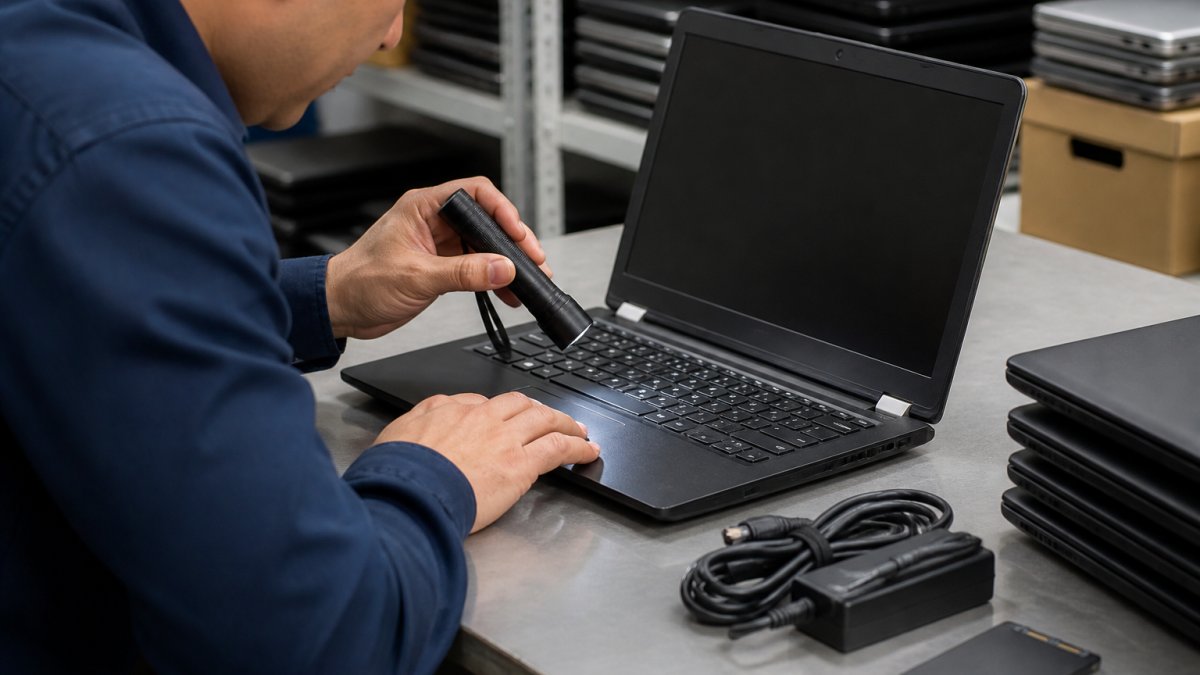
- Inspect the item's photos and description carefully
- List likely fixes, such as battery, keyboard, or charger
- Price each fix using current retail or parts costs
- Add a 20 percent cushion for surprises
Watch out: as-is items carry higher risk, so build repair costs into your maximum bid from the start. Review the risks of buying as-is electronics to protect your money.
Step-by-Step: Working Backward to Your Maximum Bid
The best way to stay within budget is to work backward from the most you are willing to spend. Start with your total budget, then subtract each cost until you know your maximum bid.

Follow these steps:
- Set your total budget, such as $300
- Subtract estimated pickup or shipping costs
- Subtract estimated repair costs
- Subtract taxes and transaction charges
- Solve for the buyer premium: divide the remaining amount by (1 + premium rate)
- The result is your maximum bid
For example, with a $300 budget, $30 for pickup, $50 for repairs, and a 10 percent buyer premium, you would have $220 left after the first two costs. Divide $220 by 1.10 to get about $200. That is your maximum bid.
Stick to that number. For a fuller safety-focused walkthrough, see the safe guide to buying government surplus laptops. Many buyers lose money by bidding past their limit in the heat of the moment.
Worked Example: Surplus Laptop From Bid to Final Payment
Here is a complete example from start to finish. Suppose a surplus laptop wins at $150 on a government surplus platform.
- Winning bid: $150.00
- Buyer premium (10%): $15.00
- Transaction fee: $5.00
- Sales tax (if applicable, 6%): $9.90
- Pickup travel: $20.00
- Battery replacement (estimated): $45.00
- Total landed cost: $244.90
The sticker price was $150, but the real cost was nearly $245. A buyer who planned for this would have set a maximum bid well below the $150 mark, or walked away.
The Same Lot Under Three Scenarios
A single number hides the uncertainty. Run the same lot as a low, expected, and high case so you can see how much room your budget really has.
| Line item | Low | Expected | High |
|---|---|---|---|
| Winning bid | $150.00 | $150.00 | $150.00 |
| Buyer premium (5% / 10% / 15%) | $7.50 | $15.00 | $22.50 |
| Transaction fee | $3.00 | $5.00 | $10.00 |
| Sales tax (0% / 6% / 8%) | $0.00 | $9.90 | $14.60 |
| Pickup travel | $15.00 | $20.00 | $60.00 |
| Repairs | $25.00 | $45.00 | $90.00 |
| Total landed cost | $200.50 | $244.90 | $347.10 |
The high case is more than double the winning bid. If your budget is $300, the expected case fits but the high case does not, which is exactly the signal to lower your maximum bid or pass on the lot.
Deposits, Payment Deadlines, and Late-Payment Risk
Cash-flow costs are easy to overlook until they hit. Many government auction platforms require a deposit and full payment within a set number of days after the auction closes. Check the terms for the deposit amount and payment deadline, and note that missing the deadline can have consequences.
- Confirm the deposit amount and whether it is refundable before you register.
- Note the payment window in calendar days, not business days, and put it on your calendar the day you win.
- Check which payment methods are accepted and whether any extra charges apply.
- Budget for storage fees if you cannot pick up within the removal window; daily storage charges can erase any savings on a cheap lot.
Pre-Bid Risk Checklist
Some costs never show up in a calculator because they depend on the asset's condition and paperwork. Check these before you bid:
- Inspection access. Can you view the item in person, or only from photos? Photos hide missing parts and damage.
- Title and lien status. For vehicles and titled equipment, confirm the title is clear and transferable before bidding.
- As-is terms. Most government surplus is sold as-is, where-is, with no refunds. Build repair costs into your maximum bid from the start.
- Missing parts and accessories. Cables, chargers, keys, and remotes are frequently absent; price replacements before you bid.
- Removal requirements. Some lots must be removed by a licensed mover or within a fixed window, which adds cost.
Working Backward From the High Case
Use the high-case total, not the expected one, to set your maximum bid. Working backward from the high case keeps a single surprise, a dead battery, a missed pickup window, a higher premium, from turning a planned purchase into a loss.
Payment deadlines matter too, so plan your funds before you win.
Set Your Budget Before Your Next KVSAuctions.com Bid
Before you place your next bid on KVSAuctions.com, write down your total budget and work backward using the steps above. Include every fee, pickup cost, and likely repair. This simple habit turns a risky guess into a planned purchase.
Visit KVSAuctions.com and register to start browsing government surplus laptops and electronics. Check each listing's fee details before you bid, and use the calculation method in this guide to set your maximum bid with confidence.
Frequently Asked Questions
How do you calculate the total cost of a government auction purchase?
Start with the winning bid, then add the buyer's premium or auction fee, any sales tax that applies, transaction charges, transportation or pickup costs, loading, paperwork, and a realistic allowance for repairs or missing parts. Add the figures together to get your total landed cost. Confirm each fee on the specific auction's terms page before bidding, since fee schedules differ by platform and by asset. Keeping a simple worksheet for each lot makes the final number easy to verify.
Do government auctions charge a buyer's premium?
Many government surplus auctions add a buyer's premium or buyer fee on top of the winning bid, and the rate is set by the platform or the selling agency. Some auctions charge a flat fee instead of a percentage. Check the fee schedule in the listing terms before you bid, because a premium that looks small on a $150 laptop can change your budget. Include it in your maximum bid calculation from the start.
How much should I budget for pickup, delivery, or storage?
Pickup and removal costs depend on the item's size, weight, and location, and on whether you can collect it yourself. Small electronics picked up in person may add little or nothing, while bulk equipment may require a truck or hired labor. Budget for fuel, time off work, and any loading help, and ask the seller or auction platform about pickup windows and storage fees before you commit. Pricing depends on quantity, dates, and logistics, so get current figures from the seller or from KVSAuctions.com for your specific lot.
How can I estimate repair costs for auction electronics?
Repair estimates start with the listing's condition description and any tested or untested status. Assume untested items may need additional parts, cables, batteries, or software setup. Compare the cost of parts or a replacement device against the price you would pay for a refurbished unit of similar specification. If the repair cost approaches the price of a working alternative, the lot is probably not worth the bid. Keep a reserve in your budget for the most likely fix.