 blog
blog
Reliable Refurbished Laptops for Remote Work: 2026 Guide
Table of Contents
- Why Refurbished Laptops for Remote Work Are a Smart Buy in 2026
- Refurbished Laptop Grading Explained: What Cosmetic Grades Actually Mean
- How to Check a Used Laptop Before Buying: Listing Red Flags and Verification Steps
- Questions to Ask When Buying a Refurbished Laptop for Remote Work
- Refurbished Laptop Warranty and Return Policy: What Sellers Should Disclose
- Where to Find Reliable Refurbished Laptops: Marketplaces vs. Surplus Auctions
- Remote-Work Readiness Beyond Specs: Webcam, Wi-Fi, and Battery Life
- Conclusion: Buying Refurbished Without Getting Burned
- Frequently Asked Questions
Last Updated: October 22, 2026
Why Refurbished Laptops for Remote Work Are a Smart Buy in 2026
The best place to find reliable refurbished laptops for remote work is a seller that publishes real condition reports, battery health data, and a written return policy before you bid.
At KVSAuctions.com, we list government surplus and refurbished electronics through auction, fixed-price, and classified formats, which means buyers see the actual listing details rather than a generic product photo. A refurbished laptop is a previously used device that a seller has inspected, tested, and restored to working condition before resale.
Here's the problem most buyers run into: the listing describes a "Grade A business laptop" and the photos look clean, but nothing on the page tells you the battery's remaining capacity, the exact processor generation, or whether the device was tested under load.
Refurbished Laptop Grading Explained: What Cosmetic Grades Actually Mean
Refurbished laptop grading explained in one line: cosmetic grades describe appearance only, and they tell you nothing about how the machine performs or how long its battery will last.
Grade A, B, and C: What Changes Between Tiers
Grade A usually means minimal visible wear, perhaps light scuffs on the lid or a minor shine on the keyboard. Grade B shows noticeable cosmetic marks but a sound screen and chassis. Grade C is visibly worn, often with scratches, dents, or a replaced palm rest. None of these tiers is standardized across the industry, so the same letter can mean different things at different sellers.
Why Cosmetic Grade Says Nothing About Battery Health
A Grade A laptop can ship with a battery at half its original capacity, because appearance and battery wear are unrelated. If a listing shows a grade but no battery data, treat battery condition as unknown. Ask for the design capacity and the current full-charge capacity, or a battery health reading from the device's own diagnostics.
How to Check a Used Laptop Before Buying: Listing Red Flags and Verification Steps
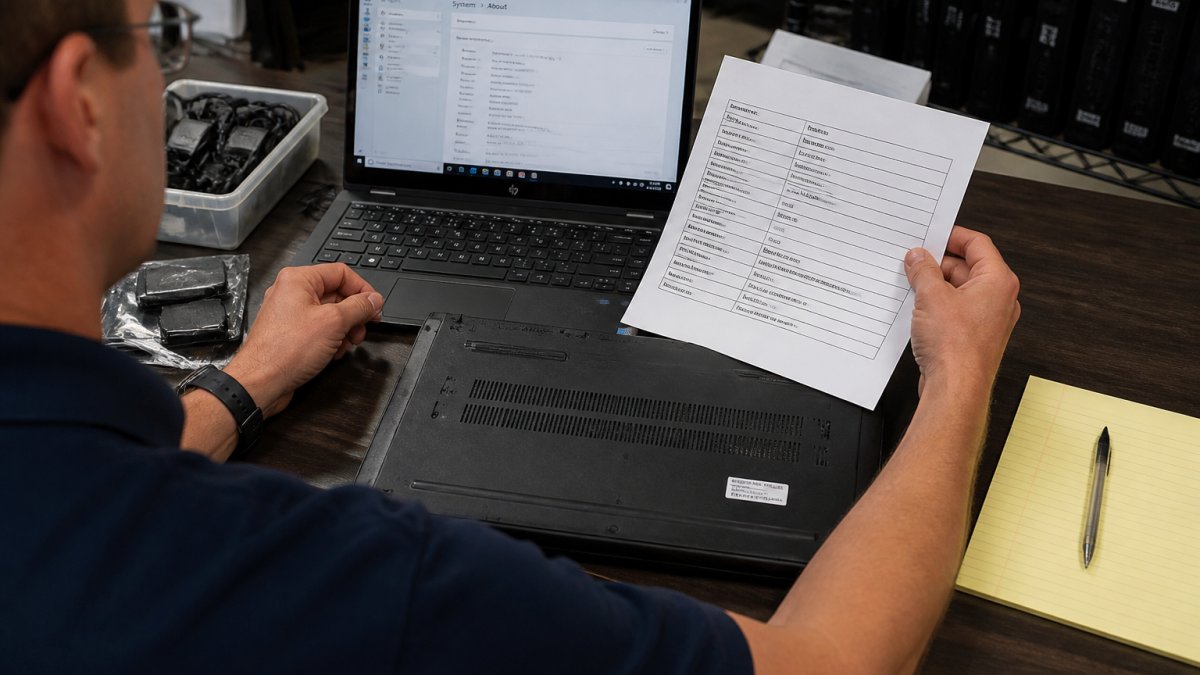
How to check a used laptop before buying comes down to a repeatable checklist: confirm the exact model number, verify every spec against the manufacturer's own documentation, match the photos to the actual device, and confirm in writing that the seller will accept a return if the device doesn't match.
The Listing Verification Checklist
Work through these items in order before you bid or buy:
- Exact model number. A full model number (for example, a business-class chassis code rather than "i7 laptop") lets you pull the original spec sheet. If the listing gives only a family name, ask for the model number in writing.
- Processor generation. "i5" or "i7" alone hides the generation, and a decade-old i7 can be slower than a recent i3. Confirm the generation and compare it to the manufacturer's published configuration.
- Memory and storage type. Confirm the amount of RAM, whether it is soldered or upgradeable, and whether storage is a SATA or NVMe drive. Listings that say "fast SSD" without a type or capacity are unverifiable.
Cross-Referencing Specs Against Manufacturer Data
Pull the model number from the listing and look it up on the manufacturer's support site. Confirm the processor generation, RAM configuration, storage type, and screen resolution all match the listing. A listing that says "i7, 16GB, fast SSD" without a model number is a red flag, because it gives you nothing to verify. Where the manufacturer publishes a service manual or configuration guide, use it to confirm which options shipped with that model.
What Photos and Serial Numbers Should Reveal
Legitimate listings show the actual device, including the bottom casing with the serial number and service tag visible. Photos of a stock image, a blurred label, or a device photographed on a white background with no wear at all deserve suspicion. Look for photos of the screen powered on, the keyboard, the ports, and any disclosed damage. A serial number lets you check warranty status and confirm the model directly with the manufacturer.
Red Flags That Should Slow You Down
- A grade or "tested" claim with no battery data.
- Specs listed without a model number or generation.
- Stock photos only, or photos that don't match the described cosmetic grade.
Independent Seller Verification and Refurbishment Standards
Distinguish tested, professionally refurbished devices from unverified used stock by asking what testing was performed and what documentation exists. A credible refurbisher can describe a documented process: cosmetic grading criteria, functional tests (keyboard, ports, webcam, Wi-Fi, battery), and a record of the device's condition. Ask whether the seller operates under a recognized electronics recycling or refurbishment standard, and request the testing record or condition report for the specific unit.
Questions to Ask When Buying a Refurbished Laptop for Remote Work
Questions to ask when buying a refurbished laptop should cover condition, battery, software, and recourse. Send them in writing before you commit, and keep the answers.
- What is the exact model number and serial number?
- Has the battery been tested, and what is its current capacity?
- Does the device include a charger, and is it the original or a compatible replacement?
A seller who answers these clearly is signaling that they know their inventory. A seller who dodges the battery question is telling you something too.
Refurbished Laptop Warranty and Return Policy: What Sellers Should Disclose
Refurbished laptop warranty and return policy terms should be stated on the listing page, not buried in a site-wide FAQ. Look for a defined return window, a clear description of what counts as a defect, and a named process for disputes. Then plan to use that policy the day the device arrives, because the return window is your only real leverage if the listing and the device disagree.
Return Windows, Restocking Fees, and Dispute Timelines
A workable policy names the number of days you have to test the device, whether returns are accepted for "changed mind" as well as defects, and whether a restocking fee applies. It should also explain how a dispute is handled if the item arrives damaged or not as described. If a listing says "as-is, no returns," price that risk into your bid.
Compare policies on four points:
- Return window length. A short window (a few days) leaves little time to test a battery through a full discharge cycle; a longer window (two weeks or more) gives you room to run real checks.
- Defect definition. Confirm whether a worn battery, a dead webcam, or a missing charger counts as a defect for return purposes.
- Restocking fees. A fee can erase the savings on a marginal deal; factor it into your maximum bid.
Post-Delivery Inspection: The First 48 Hours
Treat the return window as a deadline and inspect promptly:
- Photograph the unopened package and the device on arrival, including any shipping damage.
- Confirm the serial number and model match the listing before you do anything else.
- Run the device's own battery report and compare the full-charge capacity to the listing's claim.
- Test the parts spec sheets skip: webcam, microphone, speakers, Wi-Fi, Bluetooth, every port, and the keyboard and trackpad.
- Run a full discharge cycle if the window allows, to confirm real-world battery life.
- Document discrepancies in writing with photos and screenshots, and notify the seller within the return window rather than at the end of it.
Using the Dispute Process
If the device doesn't match the listing, contact the seller first with your documentation and a specific remedy (return, partial refund, or replacement). If the seller doesn't respond within the stated timeline, use the payment method's dispute process: credit card chargebacks and marketplace buyer-protection programs have their own deadlines, and those deadlines can be shorter than you expect. Keep every message and photo, because a dispute is decided on the record you build, not on what you remember.
Warranty Terms Worth Reading Twice
A warranty that covers "defects in materials and workmanship" for a set period is standard; confirm what it excludes, whether battery capacity is covered, and whether the warranty transfers if you resell the device. A warranty with a named repair process and a stated turnaround is worth more than an open-ended promise, because it tells you what happens when something fails.
R2V3 certification standard for electronics recyclers
Where to Find Reliable Refurbished Laptops: Marketplaces vs. Surplus Auctions
Reliable sources fall into three groups: manufacturer refurbished programs, established resellers with published testing standards, and government surplus auctions where the original asset records often exist.
| Source Type | What You Get | Watch For |
|---|---|---|
| Manufacturer refurbished | Factory testing, clear warranty | Higher prices, limited models |
| Established resellers | Grading scales, return policies | Inconsistent battery disclosure |
| Surplus auctions | Asset records, lower prices | As-is terms, inspection required |
| General marketplaces | Wide selection | Thin condition detail, variable sellers |
Surplus auctions are where government agencies and institutions move retired equipment, and the better ones publish asset tags, photos, and condition notes. KVSAuctions.com runs these listings alongside fixed-price and classified formats, and our parent company KVS Computers is a certified electronics recycling operation under R2V3, which means devices are handled under a documented recycling and testing standard rather than scrapped or resold blind.
R2V3 certification standard for electronics recyclers
Remote-Work Readiness Beyond Specs: Webcam, Wi-Fi, and Battery Life
Specs get you a fast processor, but remote work lives or dies on the parts spec sheets skip. A laptop with a strong CPU and a failing battery still can't survive a day of video calls.
Check the webcam resolution and confirm it works, since a dead camera is common on retired business machines. Confirm the Wi-Fi adapter supports current standards, because older business laptops sometimes ship with dated wireless cards.
ENERGY STAR guidance on computer energy use
Conclusion: Buying Refurbished Without Getting Burned
The hard part of buying refurbished isn't finding a laptop. It's finding a seller who tells you the truth about the one you're buying.
KVSAuctions.com lists government surplus and refurbished electronics with actual device photos, multiple listing formats, and the backing of a certified R2V3 recycling operation through KVS Computers. Register on KVSAuctions.com to browse current listings, review condition details before you bid, and buy with a clear picture of what's arriving.
Frequently Asked Questions
How can I tell whether a refurbished laptop listing is accurate?
Compare the listed processor, RAM, and storage against the manufacturer's original spec sheet for that exact model number. Look for listings that show the serial number and photos of the actual unit, not stock images. Ask the seller for a screenshot of the system information screen or a battery health report. Sellers who can produce these details on request are far less likely to misrepresent a device, and you have written evidence if the item arrives different from the description.
What warranty should a refurbished laptop include?
A reasonable refurbished laptop warranty and return policy should give you time to test the device and report defects, plus a clear written statement of what is covered. Look for whether the battery is covered, whether returns are accepted for changed minds or only for faults, and who pays return shipping. Get the policy in writing before you pay. Auction and marketplace listings that say 'as-is, no returns' leave you with no recourse if the laptop fails in week two.
What should I check before buying a refurbished laptop for remote work?
Beyond the processor and RAM, check the battery cycle count and design capacity, since a worn battery is the most common hidden cost. Confirm the webcam and microphone work if you take video calls, and verify the Wi-Fi card supports current standards. Check the screen resolution and whether the display has dead pixels or pressure marks. Ask whether the operating system is a genuine licensed install and whether the SSD is original or replaced.
How much should I spend on a refurbished laptop for remote work?
Pricing depends on the model, condition grade, and seller, so there is no single figure that fits every buyer. A practical approach is to set a budget that leaves room for a battery replacement or RAM upgrade, since those are the most common post-purchase costs on refurbished business laptops. Compare the total delivered cost, including shipping and any buyer's premium on auction listings, rather than the headline bid or sticker price.