 blog
blog
7 Refurbished vs Used Laptop Reliability Facts to Know
Last Updated: October 26, 2026
Quick Summary
Refurbished vs used laptop reliability comes down to inspection: a used laptop is sold as-is with unknown repair history, while a refurbished laptop has been inspected, tested, and restored to working condition before sale. Refurbished units cost slightly more but typically include a limited warranty and return window.
- A refurbished laptop should last three to five years of normal use, depending on model age and component quality.
- A battery at or above roughly 80% of design capacity is generally considered serviceable; below about 70%, plan on replacement soon.
- Most laptop batteries are rated for roughly 300 to 500 full cycles before capacity drops noticeably.
- Common refurbished warranty exclusions include battery degradation, cosmetic wear, accidental damage, and unauthorized repair.
- Within the return window, run a full battery charge and discharge and test every port before the deadline passes.
Table of Contents
- Refurbished vs Used Laptop Reliability: The Core Difference
- Side-by-Side Comparison: Testing, Grading, and Warranty
- What to Check When Buying a Refurbished Laptop
- How Long Should a Refurbished Laptop Last?
- Battery Health, Grading, and Total Cost of Ownership
- Refurbished Laptop Warranty and Return-Window Strategy
- Your Used Laptop Buying Checklist Before You Bid
- Register at KVSAuctions.com and Bid With a Checklist
- Frequently Asked Questions
Refurbished vs Used Laptop Reliability: The Core Difference
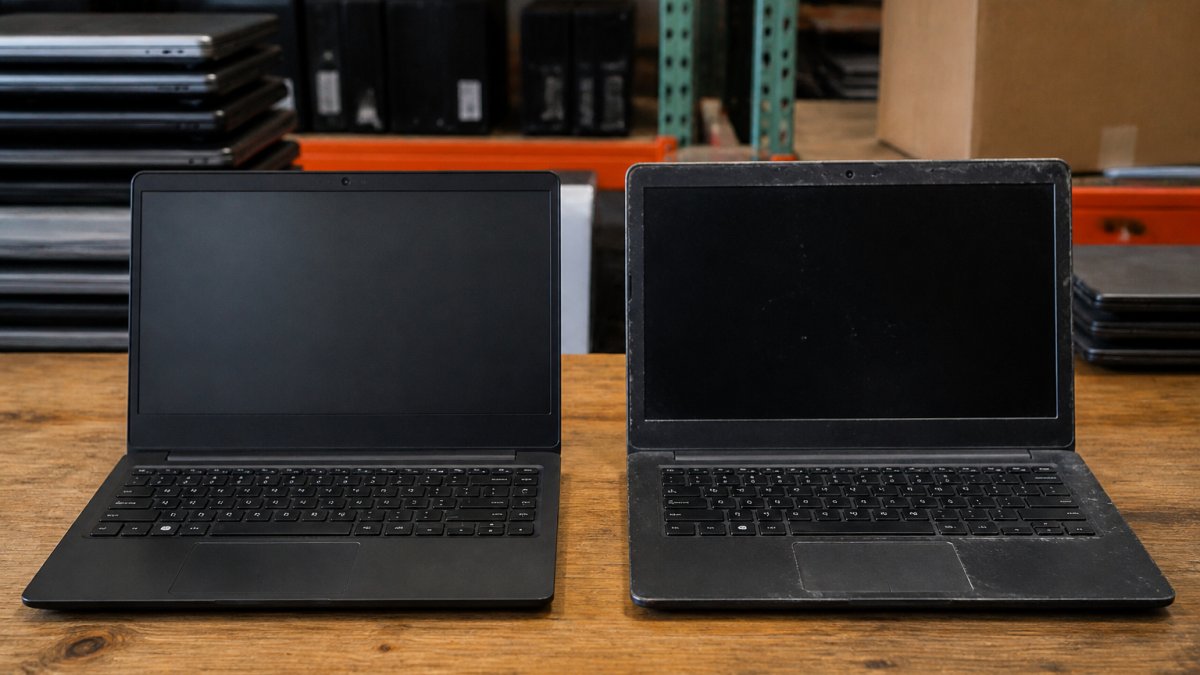
The refurbished vs used laptop reliability question comes down to one factor: what happened between the previous owner and you.
KVSAuctions.com lists government surplus and refurbished electronics.
Refurbished vs used laptop reliability is the difference between a device someone tested and a device someone simply resold.
In practice, "refurbished" covers a wide spectrum, from full component-level restoration to a wipe-and-resell job with a new label.
What Refurbished and Pre-Owned Actually Mean
Pre-owned describes ownership history, nothing more.
The words are not regulated consistently across sellers. A manufacturer with a formal program follows documented testing standards; a reseller may have run only a basic power-on check.
A peer-reviewed study on consumer attitudes toward refurbished laptops by F. Barkhi and coauthors (2024) examined how buyers weigh condition and warranty when choosing refurbished devices.
Why Inspection and Diagnostics Change the Risk
Inspection is where reliability is actually created. A proper refurbishment checks the components most likely to fail: battery, storage drive, screen, keyboard, ports, and cooling. Diagnostics catch hidden issues a cosmetic look cannot.
- Battery health testing measures remaining capacity against design capacity
- Storage diagnostics check drive health and error rates
- Stress testing confirms the device holds up under load
Skip those steps and you are buying a used laptop with a better sticker. Buyers in forums make this point directly: a Reddit discussion on manufacturer vs third-party refurbishment shows one buyer preferring manufacturer refurbishments because the maker has an incentive to back the device with a solid warranty.
That is an opinion, not measured data, but it points to something true: who refurbished the device matters as much as whether it was refurbished.
Side-by-Side Comparison: Testing, Grading, and Warranty
The table below summarizes how the two categories typically differ. Sellers vary, so treat it as a framework for asking better questions.
| Factor | Used Laptop | Refurbished Laptop |
|---|---|---|
| Testing before sale | Rare or basic | Standard diagnostics |
| Cosmetic grading | Often ungraded | Graded (A, B, C or similar) |
| Battery health disclosed | Uncommon | Usually checked |
| Repair history | Unknown | Documented by seller |
| Warranty | As-is, no coverage | Limited warranty typical |
| Return window | Often none | Usually offered |
| Price | Lowest | Slightly higher |
Refurbished costs a little more up front and carries less risk after purchase. Whether that trade is worth it depends on how much a failure would cost you.
What to Check When Buying a Refurbished Laptop
Start with the components that fail most and cost most to replace: battery, storage, and screen. Ask for specific data on each, not a general "tested and working" claim.
- Battery health: request cycle count and remaining capacity if available
- Storage drive: confirm type (SSD vs HDD) and health status
- Screen: check for dead pixels, backlight bleed, and hinge condition
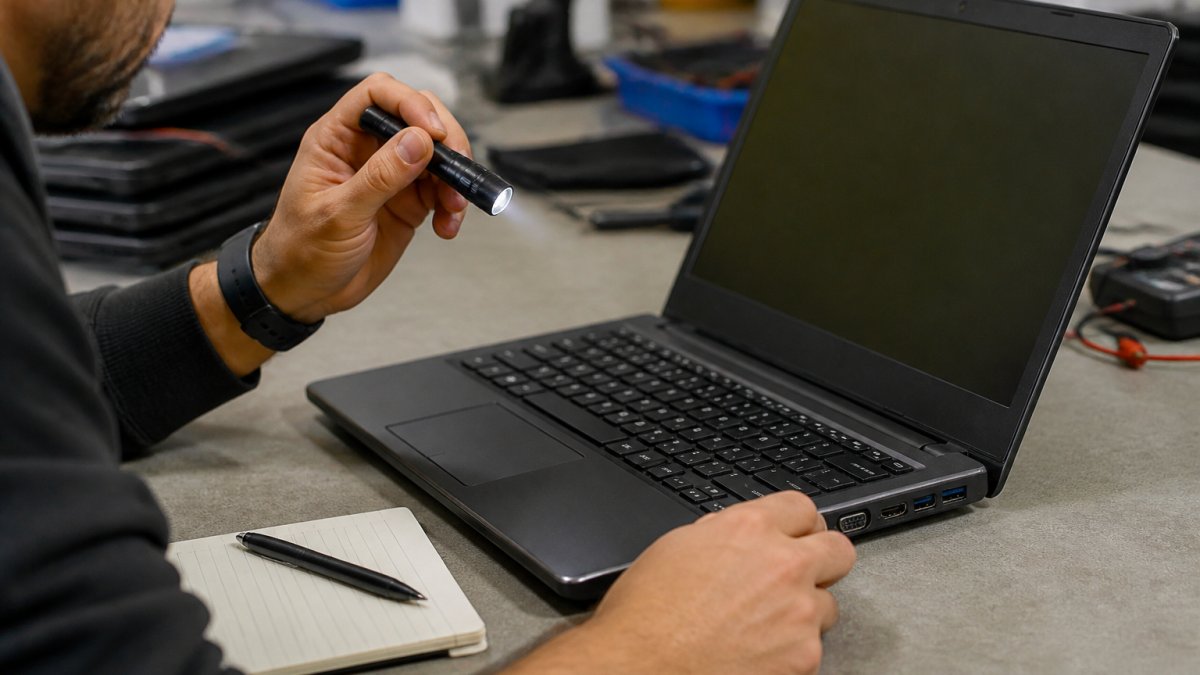
A common mistake is trusting photos over specifications. Our guide on how to verify refurbished laptop condition walks through each check step by step.
How Long Should a Refurbished Laptop Last?
A refurbished laptop should last three to five years of normal use, depending on model age, component quality, and treatment. A device refurbished at two years old has more usable life left than one refurbished at six.
Age at refurbishment is the number most buyers overlook. Ask for the model year and the original release date. A newer model with a replaced battery often outlasts an older premium model with original components.
Use case matters too: a student running a browser puts far less strain on a machine than a startup running development tools. Our guide to reliable refurbished laptops for remote work covers which specs hold up under daily professional use.
Battery Health, Grading, and Total Cost of Ownership
Battery health is the most useful reliability signal on a pre-owned laptop, and the easiest to verify before you buy. Lithium-ion cells lose capacity with every full charge cycle, and a worn battery is the most common failure point in machines over three years old. Treat battery data as a hard specification, not a footnote.
How to Read Battery Health Numbers
Two figures matter: design capacity (what the battery held when new, in mWh or Wh) and full charge capacity (what it holds now). The ratio between them is the health percentage. A battery at or above roughly 80% of design capacity is generally considered serviceable; below about 70%, plan on replacement soon.
On Windows, run powercfg /batteryreport in Command Prompt for an HTML report showing design capacity, full charge capacity, and cycle count. On macOS, open System Information > Power. Many business-class models (Lenovo ThinkPad, Dell Latitude, HP EliteBook) report the same figures in the manufacturer's diagnostic tool.
What Testing Can and Cannot Establish
A diagnostic report confirms present capacity and cycle count, not how the battery was treated. A device kept plugged in at 100% in a hot office may show decent capacity but degrade faster going forward. Stress testing and a full discharge cycle reveal what a static report misses, if there is a return window, run a full charge and discharge within it to confirm real-world runtime.
Cosmetic Grading Is Not Functional Grading
An A-grade device looks nearly new; a C-grade device shows visible wear but may run perfectly. Grading standards are set by each seller and are not standardized, so ask what the grade means for that listing and whether it covers screen, chassis, and keyboard separately. Do not pay a premium for cosmetics, put that money toward a healthier battery or a larger SSD.
Total Cost of Ownership Math
Purchase price is only the first line. Build a realistic three-year budget:
- Purchase price, the bid or list price plus any buyer's premium, shipping, and tax
- Battery replacement, a common cost on machines past roughly 400 cycles; budget for it if health is below 80%
- Storage upgrade, older machines often ship with small or slow drives; an SSD swap is cheap but not free
A cheaper used laptop that needs a battery and a drive often costs more over three years than a refurbished unit that arrives ready to work. Run the numbers on both before you bid, weighting each line by how likely that failure is for the model and age you are considering.
Refurbished Laptop Warranty and Return-Window Strategy
A refurbished laptop warranty is a limited guarantee covering specified defects for a set period. The word that matters is limited, coverage is defined by exclusions as much as promises, and the exclusions are where buyers get surprised. Read the terms before you bid as a list of what is not covered.
The Exclusions That Matter Most
Common exclusions on refurbished electronics include:
- Battery degradation, often treated as normal wear rather than a defect, so a battery that drops below expected runtime may not be covered
- Cosmetic wear, scratches, scuffs, and minor dents are usually excluded by definition
- Accidental damage, drops, spills, and cracked screens are almost never covered
- Software and data, the warranty covers hardware, not your files or operating system issues
A warranty that excludes the battery covers the part most likely to fail on an older machine. If battery health is not disclosed and not covered, price the replacement into your bid.
How to Read the Coverage Terms
Three questions decide whether a warranty is worth anything: What is covered (parts, labor, or both), how long it runs (30, 90, or 365 days are common), and how you claim (return to seller, mail-in, or on-site). A 90-day parts-and-labor warranty from a seller with documented testing beats a 365-day warranty that makes you ship the device at your own cost and wait weeks. Check whether it transfers on resale and whether it covers the device as configured or only as originally shipped.
Return-Window Strategy
Treat a short return window as a deadline. On arrival, within the first day or two:
- Run a full battery charge and discharge and compare runtime to the seller's claim
- Stress the storage drive with a health check and a large file transfer
- Test every port, USB, video out, audio, card reader
- Check the screen for dead pixels, backlight bleed, and hinge play
- Confirm the keyboard and trackpad register every key and gesture
- Verify the operating system activates and updates if one was included
Problems found inside the return window are the seller's responsibility. Problems found after it are yours. Document everything with photos and timestamps in case you need to open a dispute.
Auction-Specific Considerations
Auction return terms may differ from fixed-price listings, and the clock may start at pickup rather than delivery. Know the eligibility rules, request timelines, and dispute process before you bid; our guide on how to get a refund on an auction covers those mechanics. Either way: test early, document thoroughly, and act inside the window.
Your Used Laptop Buying Checklist Before You Bid
Run every listing through the same checklist. Consistency beats instinct when you are comparing several devices.
- Confirm the model year and original release date
- Ask for battery cycle count and remaining capacity
- Confirm storage type and drive health
- Request the cosmetic grade and what it means for this seller
That last item trips up more buyers than expected. Many surplus machines ship without an OS, which changes your setup cost. Browse laptops without an operating system to see how these listings work and apply the checklist to real devices before you commit.
Register at KVSAuctions.com and Bid With a Checklist
Buying surplus tech rewards preparation over speed. The buyers who do well ask about battery health, read the warranty terms, and know the return window before bidding.
KVSAuctions.com lists government surplus laptops and refurbished electronics through auction, fixed-price, and classified listings.
Register at KVSAuctions.com and bid with a checklist in hand. For help choosing where to bid, see our comparison of government surplus auction sites.
Frequently Asked Questions
Are refurbished laptops more reliable than used laptops?
Generally, a refurbished laptop carries less risk than a used one sold as-is. Refurbishment involves inspection, diagnostics, repair, and restoration before resale, and many sellers add a warranty. A used laptop bought privately often comes with no testing record and no return policy. The reliability gap comes from the process, not the hardware itself. A refurbished vs used laptop comparison should always weigh testing standards and after-sales support, not just purchase price.
How long should a refurbished laptop last?
Expect a professionally tested refurbished laptop to serve most students and small business users for three to five years, depending on model age, wear and tear, and how demanding your workload is. Battery health is the first component to decline, so ask for a battery report or plan for battery replacement. Storage drives and chargers are the next common failure points. A unit with a clean repair history and a warranty gives you a realistic runway.
What should I check before buying a used laptop?
Run through a used laptop buying checklist: confirm the model and age, ask for the repair history, verify battery health, inspect screen condition and keyboard condition, test every port and the charger, and confirm the storage drive type. Check the seller's reputation and return policy. If you buy through an auction, read the listing photos carefully and factor fees into your total cost of ownership before you bid.
Does a refurbished laptop come with a warranty?
It depends on the seller. Many refurbishers include a limited refurbished laptop warranty covering hardware defects for a set window, often 30 to 90 days, while private used sales are usually final. Read the exclusions: accidental damage, battery degradation, and cosmetic wear are commonly excluded. Confirm the return policy and how after-sales support works before you pay, and keep the listing details for your records.