 how-to
What Happens If an Auction Item Is Not as Described
Last Updated: November 14, 2026
Quick Summary
If an auction item is not as described, you may have a claim when the listing made a specific factual claim that turned out false, such as the wrong model, a missing part, or a wrong specification. Act quickly: gather dated evidence, contact the seller in writing, and use the platform's dispute process before escalating to your card issuer or a consumer agency.
- Ask whether the listing made a specific false claim, not just a general as-is disclaimer.
- Screenshot the listing and photograph the item from all sides as soon as it arrives.
- Contact the seller in writing and request a specific remedy such as a refund.
- Use the platform's formal dispute process before escalating outside it.
- Calendar the platform dispute window and card billing error deadline right away.
Table of Contents
- Why Items Can Arrive Different From the Listing
- What Counts as Materially Different From the Description
- Your Buyer Rights and Protections When an Item Is Misdescribed
- Building Your Evidence: Condition Report Checklist
- How to Dispute an Auction Purchase, Step by Step
- Deadlines, Escalation and Payment Chargebacks
- Start Your Next Bid With a Clear Plan at KVSAuctions.com
- Frequently Asked Questions
Why Items Can Arrive Different From the Listing
Buying at auction means you often bid before you hold the item. Listing photos rarely tell the full story, and the gap between a listing and the item in your hands can be wide, especially with used electronics.
Several things cause this gap. Photos taken at one angle under good light hide scratches on the back or underside. Descriptions are written quickly by someone who may not test every feature.
Common reasons items arrive different include:
Knowing these causes makes it easier to read a listing critically. Look for words like "as-is" and "untested," and read the full description before placing any bid.
What Counts as Materially Different From the Description
Not every flaw is a reason to return an item. A small scuff on a laptop lid is different from a cracked screen. See how to check used hardware against its description to judge which kind of flaw you are looking at.
A useful way to frame it is the "would-have-changed-my-bid" test. Ask three questions: Did the listing state a specific fact that is now false? Does that fact affect how the item works, what it is, or what it is worth?
Material misdescription versus ordinary auction risk
The clearest way to separate the two is to compare concrete pairs. In each pair below, the left side is generally treated as a material misdescription and the right side as ordinary auction risk.
- Wrong maker or model: A camera listed as a Canon EOS R6 that arrives as a Canon EOS R, or a watch listed as a specific reference number that arrives as a different reference. This is material because the maker and model are the core identity of the item.
- Authenticity: A handbag listed as authentic that a reputable authenticator identifies as a counterfeit. Authenticity is almost always material because a counterfeit is a different item, not a worn version of the same item.
- Stated specifications: A laptop listed with 16 GB of RAM that arrives with 8 GB, or a phone listed as 256 GB that arrives as 128 GB. Specifications are objective and verifiable, so a mismatch is usually material.
Why the "as-is" label does not settle the question
An "as-is" or no-returns clause limits some options, but it usually does not cover false statements about what the item is. The distinction that matters is between a disclaimer of unknown condition and an affirmative factual claim. A seller who says "sold as-is, untested" is disclaiming knowledge of condition; a seller who says "tested and fully functional" has made a factual claim that an as-is clause generally cannot erase.
A quick decision path
When you are unsure whether you have a claim, walk through this sequence:
- Quote the listing. Write down the exact words the seller used. If there is no specific claim, you are probably looking at ordinary auction risk.
- Identify the discrepancy. State in one sentence what you received versus what was promised.
- Test materiality. Ask whether the discrepancy changes function, identity, specifications, stated contents, or value.
- Check the terms. Read the sale terms for any specific disclaimer that addresses the exact issue. A general as-is clause is weaker than a specific disclosure of the exact flaw.
- Preserve evidence. Screenshot the listing before it changes or is taken down, because listings are often edited or removed after a dispute begins.
Watch out: a listing that says "please see photos for condition" and shows the flaw in a photo is often treated as disclosed, even if the text does not mention it. Review every photo at full size before you bid, and again before you complain.
Your Buyer Rights and Protections When an Item Is Misdescribed
Your rights depend on who sold the item and how the sale was structured. Read the terms of the auction before you bid, and save a copy.
In general, buyers have stronger protections when the seller describes an item falsely.
An "as-is" or no-returns clause limits some options, but it usually does not cover false statements about what the item is.
Building Your Evidence: Condition Report Checklist
Good evidence makes every dispute easier. Start collecting it the moment the item arrives, before you use it or change anything.
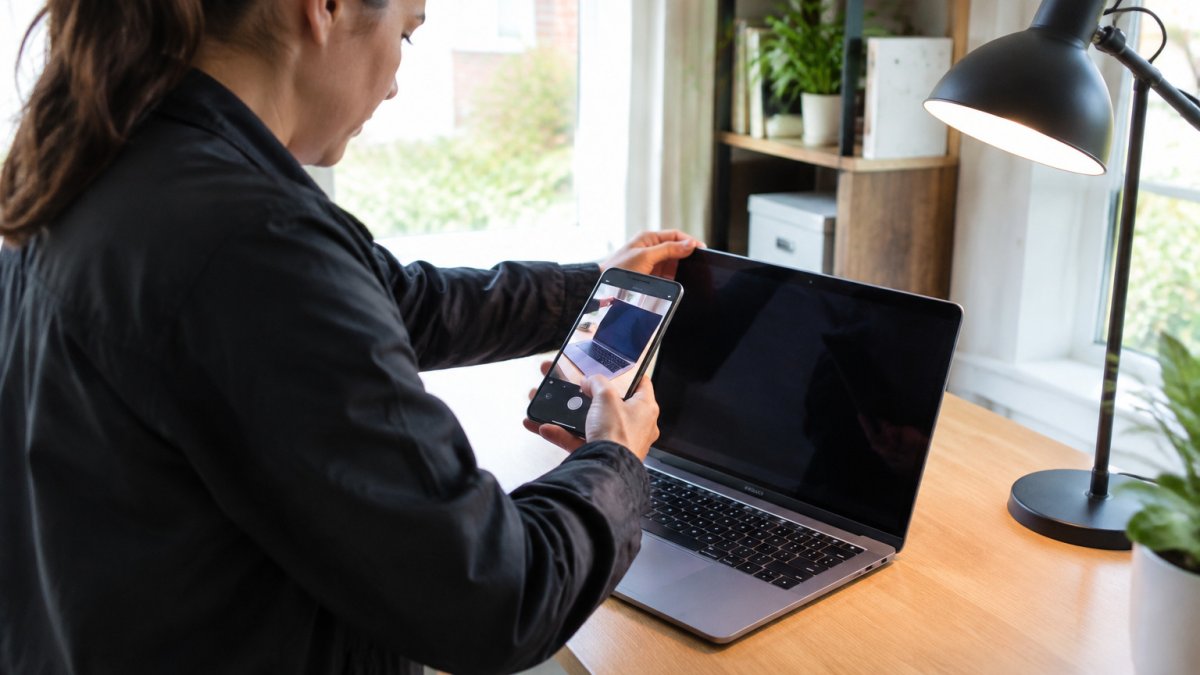
Use this checklist:
- Screenshot the original listing, including the price, date, and description
- Save any messages you exchanged with the seller
- Photograph the item from all sides in clear daylight
Take photos that match the listing angles so the comparison is clear. Check listing photos for the details that document discrepancies before you bid. Name your files by date so they stay in order. A simple, dated set of evidence is often enough to support a claim.
How to Dispute an Auction Purchase, Step by Step
Acting quickly and calmly gives you the best chance of a fair result. Follow these steps in order.
- Check the item against the listing. Confirm what was promised before you complain.
- Gather your evidence. Use the checklist above.
- Contact the seller in writing. Describe the difference and attach your photos.
- Request a specific remedy. Ask for a refund, a partial refund, or a return.
- Use the platform's dispute process. Most auction sites have a formal route for claims.
- Escalate if needed. Contact your card issuer, the platform, or a consumer agency.
Each step builds a record. If the seller refuses, you can show you followed a clear, fair process.
Writing a Refund Request That Gets Answered
A short, factual message works best. Include the listing title, the order number, what the listing said, what you received, and what you want. Keep emotion out of it and attach your evidence.
Here is a simple template you can adapt:
Subject: Refund request for [item name], order [number]
Hello, I received [item name] from order [number] on [date]. The listing stated that [quote the claim]. When I tested the item, [describe the difference]. I have attached photos and a video showing this. Please issue a full refund within 7 days, or let me know how you would like to resolve this.
Deadlines, Escalation and Payment Chargebacks
Deadlines matter, and they differ by channel. A platform dispute window, a card issuer's chargeback window, and a state consumer protection complaint each run on a different clock. Missing one does not always close the others, but it can. Note every deadline the moment you receive the item and act on the shortest one first. Learn how deposits are held and refunded when a dispute arises.
The deadlines to calendar
- Platform dispute window. Many auction platforms and marketplaces set a window to report problems, often a few days to a few weeks after delivery. Follow our step-by-step guide on eligibility, requests, timelines, and disputes to recover your money. Check the terms as soon as you receive the item and report within that window, even if you are still gathering evidence. You can usually add evidence later.
- Card issuer chargeback window. Under federal law, card billing error disputes are time-limited, so check your card issuer's current billing error terms and act promptly.
- Payment platform windows. Payment services publish their own dispute and claim windows in their user agreements. These are separate from your card issuer's window and can be shorter.
The escalation ladder, in order
Work through these steps in sequence, and keep a dated record of each one.
- Contact the seller in writing. Use the platform's messaging system so the record stays with the platform. State the discrepancy, attach your evidence, and request a specific remedy.
- Open a platform dispute. If the seller does not resolve it, use the platform's formal dispute or buyer protection process. Follow the platform's instructions on evidence format and response times.
- Escalate within the platform. If the first-level dispute is denied, look for an appeal step. Many platforms allow one appeal and require new evidence or a clearer statement of the claim.
- Contact your payment provider. If you paid by credit card, send a written billing error notice to the address the issuer lists for billing inquiries, and keep a copy. If you paid through a payment platform, open a dispute there as well, but check whether doing so affects your card issuer rights.
- File a consumer complaint. Your state attorney general's office and the Federal Trade Commission both accept consumer complaints. The FTC does not resolve individual disputes, but a complaint creates a record and can support a pattern of conduct. Your state consumer protection office may mediate.
- Consider small claims court. For amounts within your state's small claims limit, this is often the most practical formal route. Filing fees are usually modest.
- Consult an attorney. For larger amounts, authenticity disputes, or claims involving fraud, a short consultation with a consumer attorney can clarify whether the cost of pursuing the claim is justified.
How chargebacks actually work
A chargeback is a dispute process run by your card issuer under the card network's rules, not a lawsuit.
Two practical points matter. First, a chargeback is not a guaranteed refund. Second, a chargeback can affect your relationship with the platform.
Watch out: describing the dispute as "item not as described" without quoting the listing is a common reason chargebacks fail.
Keeping the record clean
Keep every message, reference number, and date in one folder. Note the name of each person you speak with and the date of each call. If you escalate to a card issuer or a state office, include a one-page timeline. A clear record does not guarantee a result, but it makes each step faster and harder to dismiss.
The steps below summarise the escalation path, with the timing each step generally involves.
| Step | What to do | Timing |
|---|---|---|
| Contact seller | Write to seller via platform messaging; attach evidence | Promptly, within platform window |
| Platform dispute | Open formal buyer protection or dispute process | Within platform dispute window |
| Platform appeal | Appeal with new evidence or clearer claim | Per platform rules |
| Card billing notice | Send written billing error notice to card issuer | Within card billing error window |
| Consumer complaint | File with state attorney general or FTC | Any time; sooner is more useful |
| Small claims court | File for amounts within state limit | Per state time limits |
| Attorney consultation | Discuss larger or fraud-related claims | Before deadlines expire |
Start Your Next Bid With a Clear Plan at KVSAuctions.com
Knowing what happens if an auction item is not as described gives you a head start on every bid. Read listings closely, flag the words that signal risk, and keep your evidence organized from day one. Read each item's full description on KVSAuctions.com before you bid, so you know what you are buying. Register today and start your next purchase with confidence.
Frequently Asked Questions
What should I do if an auction item is not as described?
Stop using the item and keep it in its current condition. Photograph the damage or defect and compare it with the original listing, saving screenshots of the description before they change. Then contact the seller or auction platform in writing, state specifically what differs from the listing, and request a refund or return within the platform's dispute window. Keep every message, since your written record is what you will rely on if the dispute escalates.
Can I return an auction item that is not as described?
Often yes, but it depends on the platform's terms and whether the difference is material. Many auctions are sold as-is, which limits returns for ordinary wear, but a clear misdescription, such as a laptop listed with a working drive that has none, usually falls outside an as-is clause. Check the terms and conditions before bidding, and raise the issue in writing as soon as you discover it.
How do I prove an auction item was not as described?
Gather the original listing, including screenshots, the item description and any condition notes, plus timestamped photos of the item as received. Record serial numbers or model labels and compare them with the listing. Keep your packaging and delivery records. A short, factual side-by-side of the listing and the item is far more persuasive than a general complaint.
Can I dispute an auction purchase with my payment provider?
In the United States, a credit card dispute may be available if the item was materially misrepresented and you cannot resolve it with the seller. Contact your card issuer and provide your evidence and written correspondence. Attempt the platform's dispute process first, since card issuers generally expect you to have tried that route.