 How-to
Can Refurbished Electronics Really Reduce E-Waste?
Last Updated: November 24, 2026
Quick Summary
Refurbished electronics reduce electronic waste by keeping working devices in use longer instead of sending them to landfill. Each device that gets a second owner avoids a replacement, which means fewer new devices built and fewer old ones discarded. The benefit only holds when refurbished devices actually sell and stay in service.
- The EPA estimates 2.4 million tons of electronic products were ready for end-of-life management in 2009.
- Refurbishment tests, cleans and restores used equipment so it can be sold again.
- A refurbished device avoids the raw materials and manufacturing that a new replacement would require.
- Check battery health and run a full diagnostic, since a worn battery can cut the extra years of use.
- Use certified recyclers and erase data before disposing of devices that cannot be refurbished.
Table of Contents
- How Do Refurbished Electronics Reduce Electronic Waste?
- Extending the Useful Life of Computers and Phones
- Refurbished Electronics Environmental Benefits Beyond Landfill Diversion
- A Buying Checklist for Refurbished Laptops and Devices
- Disposing of Used Electronics the Responsible Way
- How E-Waste Recycling Fits Into Reuse
- Buy Refurbished Tech at KVSAuctions.com
- Frequently Asked Questions
How Do Refurbished Electronics Reduce Electronic Waste?
Refurbished electronics reduce electronic waste by keeping working devices in use longer instead of sending them to landfill. See the broader benefits of buying refurbished tech for more advantages beyond waste reduction. A laptop that a government agency retires can still serve a student, a small business or a hobbyist for years. The U.S. Environmental Protection Agency estimates that 438 million electronic products were sold in the United States in 2009, and 2.4 million tons were ready for end-of-life management (U.S. EPA Electronics Basic Information, Research, and Initiatives). That volume shows why every device kept in use matters.
Refurbishment works by testing, cleaning and restoring used equipment so it can be sold again. A device that gets a second owner does not need a replacement, which means fewer new devices built and fewer old ones discarded. Refurbished electronics only cut waste when they actually sell, though, which is why buyer confidence matters.
Consumer decisions shape that outcome. A 2024 study on refurbished electronics notes that refurbishment can support waste minimization and environmental sustainability, but sales still depend on the decision factors buyers weigh (Key drivers and priorities of consumer decisions for refurbished electronics). Environmental benefit alone does not move a device from the shelf to a new owner.
Extending the Useful Life of Computers and Phones
Extending useful life is the most direct way refurbishment cuts waste. You can find used laptops for sale from a range of sources to put this into practice. A computer that stays in service for another two or three years never reaches the recycling bin during that time.
The EPA lists reuse, refurbishing and extending product life as parts of sustainable electronics management (EPA electronics management guidance). Those practices matter because they keep devices working without new manufacturing.
Here is where life extension helps most:
- Office laptops retired after a lease ends
- Desktops replaced by a workplace upgrade
- Government surplus equipment that still runs well
- School and nonprofit hardware that needs only light refurbishment
Watch out: A device that works today can still fail early if its battery is worn or its storage is damaged. Check battery condition and run a full diagnostic before you count on extra years of use.
Refurbished Electronics Environmental Benefits Beyond Landfill Diversion
Keeping devices out of landfills is only part of the story. Reuse also reduces the demand for new materials and manufacturing.
The EPA says electronics recycling and reuse can reduce manufacturing pollution and the extraction of virgin resources (U.S. EPA electronics research and initiatives). A refurbished laptop does not require a new set of metals, plastics and circuit boards.
| Benefit | What It Prevents | Who Gains Most |
|---|---|---|
| Life extension | Early disposal of working devices | Households and small offices |
| Reduced manufacturing | New production of similar devices | Manufacturers and the environment |
| Material conservation | Extraction of virgin raw materials | Communities near mining sites |
| Landfill diversion | Electronic waste in landfills | Local waste systems |
Conserving Raw Materials and Reducing Manufacturing Impact
Every new electronic device requires raw materials and energy to build. When a refurbished device fills that same need, the manufacturing step is avoided. That avoided step is where much of the environmental savings sits.
A device sold as refurbished still carries the impact of its original production. The benefit comes from using that existing product for longer, not from making it new again.
When Refurbishment Is Not the Best Option
Refurbishment does not win every time. A very old device may use far more electricity than a modern replacement, and that energy cost can outweigh the savings from avoided manufacturing. Parts that cannot be repaired economically also limit how long a device can be kept.
A 2024 study found that consumer decision factors, not environmental benefit alone, determine whether refurbished products sell (Key drivers and priorities of consumer decisions for refurbished electronics). If a device fails quickly after purchase, the buyer may replace it, which erases the waste savings.
A Buying Checklist for Refurbished Laptops and Devices
That distinction decides whether the environmental benefit is real: a device that fails in three months gets replaced, and the avoided-manufacturing savings disappear. Use this checklist before you bid or buy.
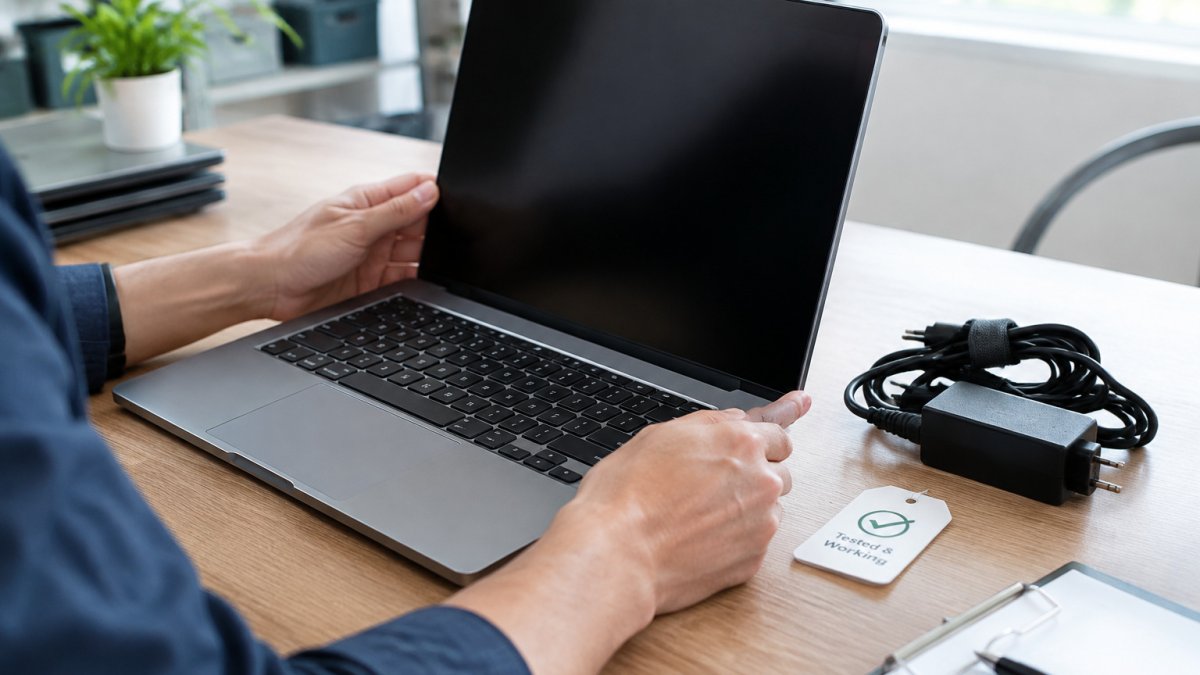
1. Confirm what refurbishment actually included. Ask the seller to describe the process: full diagnostic, data wipe, component replacement, testing, grading and quality assurance. A meaningful refurbishment includes inspection and testing of the display, ports, keyboard, speakers, webcam, Wi-Fi and storage, plus replacement of any failed parts.
2. Read the condition grade and what it maps to. Grades such as A, B or C are not standardized across sellers. Ask what each grade means for cosmetic wear (scratches, dents, screen marks) and, more importantly, for functional guarantees. A Grade B device with a tested battery and a return window is often a better buy than a Grade A device sold as-is.
3. Check battery health, not just battery presence. Lithium-ion batteries degrade with charge cycles, and a worn battery is the most common reason a refurbished laptop underdelivers on its promised extra years. Ask for the reported design capacity versus current capacity, or the cycle count.
4. Confirm the operating system and license. Verify that Windows or macOS is installed, activated and licensed to the device, and that the license is transferable. A device sold without an OS or with an unlicensed install adds cost and friction that erodes the affordability advantage.
5. Verify storage and memory configuration. Confirm the drive type (SSD vs. HDD), capacity, and whether RAM is soldered or upgradeable. Upgradeable RAM and storage extend useful life and are a repairability signal.
6. Ask about the warranty and return terms. A warranty signals the seller stands behind the refurbishment. Confirm the length, what it covers (parts, labor, battery), who pays return shipping, and the return window. Auction listings vary widely here; read the terms before bidding, because as-is auction sales often carry no return right.
7. Check repairability and parts availability. Look for service manuals, user-replaceable batteries, standard screws and available replacement parts. Devices with accessible parts and long software-support windows deliver more years of use per purchase.
8. Confirm included accessories. Power adapter, charger, and any dock or stylus should be listed explicitly. Missing accessories add cost and can strand a device.
9. Verify data security before first use. A reputable refurbisher wipes drives to a recognized standard. On receipt, confirm the drive was erased, set up a fresh account, and enable full-disk encryption.
- Refurbishment process described in detail
- Condition grade defined and tied to functional guarantees
- Battery health or cycle count reported
- OS installed, activated and licensed
- Storage type and capacity confirmed; RAM upgradeability checked
- Warranty length, coverage and return window confirmed
- Repairability and parts availability checked
- Accessories listed
- Data-wipe confirmation and encryption plan in place
Watch out: Some auction items are sold incomplete, with no hard drive or operating system, and without a return right. Those listings suit buyers with the technical skill to finish the setup, everyone else should confirm the items above before bidding.
For a deeper look at how condition grades work, see our refurbished laptop grades explained buyer's guide. Once you have chosen a device, learn how to verify refurbished laptop condition with a step-by-step inspection before you rely on it.
Disposing of Used Electronics the Responsible Way
When a device truly cannot be refurbished or repaired, responsible disposal keeps its materials in circulation and its data out of someone else's hands. Two things matter most: where the device goes, and what is still on it.
Choose a certified recycler or a take-back program. Look for certification under recognized e-waste standards such as R2 (Responsible Recycling) or e-Stewards. Manufacturer and retailer take-back programs are another option; many accept devices for trade-in or recycling regardless of brand. Avoid informal drop-offs that cannot document where materials go.
Erase data before you hand the device over. Back up anything you want to keep, sign out of accounts (including cloud and device-finding services), then perform a secure erase. On modern drives, a full-disk overwrite or the drive manufacturer's secure-erase command is the practical standard; on solid-state drives, use the built-in secure-erase or cryptographic-erase feature rather than repeated overwrites. If the drive is failing or you cannot verify the wipe, remove and physically destroy the drive, or ask the recycler to document destruction.
Know the rules where you live. Check your local waste authority before putting anything at the curb.
Plan end-of-life before you need it. The environmental benefit of a refurbished device is largest when it stays in use through repair and resale, then gets recycled properly. Keep the receipt and warranty, note the software-support end date, and identify a certified recycler or take-back option in advance so the device does not sit in a drawer or end up in the trash.
Watch out: Wiping the drive is not the same as removing the device from your accounts. Sign out of cloud, device-finding and payment services first, or a buyer or recycler may inherit access you did not intend to give.
How E-Waste Recycling Fits Into Reuse
Reuse comes first. Recycling is the step after reuse stops being possible. A device that can still work should be refurbished and resold, not broken down for parts.
Recycling still matters for devices that cannot be restored. The best sequence is reuse, then repair, then recycling. Each step keeps more value in circulation than the one after it.
Buy Refurbished Tech at KVSAuctions.com
Refurbished electronics do reduce e-waste, but only when devices are tested, chosen carefully and kept in use. KVSAuctions.com is operated by an R2V3 Certified electronics recycler, and every device is tested by trained technicians. Our Dell Latitude 3380 listing offers five tested and working laptops with Windows 11 Pro and a charger included, priced at $180.00.
Register at KVSAuctions.com to bid on current listings and find refurbished tech that keeps working for its next owner.
Frequently Asked Questions
Should I throw away old electronics?
Usually not. Old electronics that still work can be resold, donated, or refurbished, which keeps them in use longer. Devices that no longer work should go to a certified electronics recycler rather than the regular trash. Many electronics contain metals and components that can be recovered responsibly, and reuse, refurbishing, and recycling are generally preferred options over landfilling. Before disposing of any device, remove personal data and check whether it still has resale or donation value.
Does buying refurbished electronics help the environment?
Buying refurbished electronics can help the environment by extending the useful life of devices and reducing the need for new manufacturing. Reuse and refurbishing can extend the life of electronics and reduce the need for new manufacturing. Buyers get the most benefit when they choose devices that are tested and expected to remain in service for years.
What should I check before buying a refurbished laptop?
Check the listing's full description, including the processor, RAM, storage type, and operating system. Confirm whether the laptop includes a charger, a working battery, and a test report. Some surplus laptops are sold without a hard drive or operating system, so buyers should confirm what is included before bidding. Look at the photos for cosmetic wear, and note whether the seller reports battery capacity. Buyers who plan to use the device for work should confirm it meets their software needs.
What should I do with electronics that can no longer be repaired?
Take devices that can no longer be repaired to a certified electronics recycler, such as one with recognized electronics recycling certification. Remove or wipe personal data first, and remove batteries if the device is damaged, following the recycler's guidance. Do not place electronics in household trash, where metals and hazardous components can leak into soil and water. Many retailers and local government programs also accept old electronics for recycling.