 listicle
Startup IT Equipment on a Budget: A Practical Buying Guide
Last Updated: November 7, 2026
Quick Summary
For a startup, the cheapest reliable IT equipment is usually refurbished or government surplus business-grade gear, matched to each role. Refurbished buying can save startups 30% to 50% on technology costs, and a 10-person hybrid team can plan roughly $2,000 to $4,000 for hardware. Budget for subscriptions and a replacement reserve too.
- Refurbished purchases can save startups 30% to 50% on technology and office furniture costs.
- Hardware and infrastructure typically account for 20% to 30% of a small business IT budget.
- Buy one hardware family per role so chargers, docks, and spares interchange.
- Set aside 10% to 15% of hardware spend annually as a replacement reserve.
- Price software and security per seat per month, since subscriptions often outlast the laptop.
Table of Contents
- Startup IT Equipment on a Budget: What You Actually Need
- Build a Startup IT Budget Template Before You Buy Anything
- Assessing Equipment and Infrastructure Needs by Role
- Itemized Starter IT Equipment List With Price Ranges
- Refurbished Laptop Benefits for Startups
- Government Surplus Electronics for Business: A Cheaper Supply Channel
- Budget Tiers by Team Size and Work Model
- Total Cost of Ownership, Security, and Replacement Reserves
- Frequently Asked Questions
Startup IT Equipment on a Budget: What You Actually Need
Worldwide IT spending is projected to reach $6.37 trillion in 2026, according to Gartner's global IT spending forecast. Startups do not need a slice of that number.
That is the gap this guide from KVSAuctions.com fills. We sell government surplus and refurbished tech.
The core tension: cheap equipment fails and costs more later, while new equipment eats cash you need for everything else.
Build a Startup IT Budget Template Before You Buy Anything
A workable startup IT budget template starts with one line: total spend as a percentage of annual revenue. Industry guidance puts small business IT budgets at 4% to 6% of annual revenue, per Carolina IT Group's small business IT budgeting benchmark.
Build the template with four rows:
- Hardware: laptops, monitors, docks, peripherals
- Software and subscriptions: licenses, cloud services, security
- Network: router, access points, cabling
- Contingency: 10% to 15% for replacements and surprises
Infrastructure and hardware typically account for 20% to 30% of a small business IT budget, according to IT Premium's allocation of IT funds. That split keeps hardware from swallowing the whole plan.
Assessing Equipment and Infrastructure Needs by Role
Assess needs by asking what each person actually does all day, not what they might do someday. A developer compiling code and a sales rep answering email have different requirements, and buying both the same machine wastes money in one direction or the other.
Matching Devices to Employee and Department Requirements
Match devices to workload, then standardize within each role.
- General admin and sales: 8GB RAM, 256GB SSD, 13 to 14 inch screen
- Developers and designers: 16GB RAM minimum, larger display or external monitor
- Field and warehouse staff: rugged or 2-in-1 devices, long battery life
- Shared workstations: desktop computers with peripherals, replaced less often
For startups, we recommend buying one hardware family per role. Mixed fleets look cheaper up front and cost more in chargers, docks, and troubleshooting.
Network Equipment and Shared Infrastructure
Shared infrastructure is where budget startups underinvest. A business-grade switch with cloud management, such as a Ruckus ICX7150, is a practical option for a small office network.
Itemized Starter IT Equipment List With Price Ranges
A starter IT list is only useful if it maps to what people actually do and what the gear actually costs. The table below pairs each role with a minimum viable specification, a realistic price band for tested refurbished or surplus business-grade equipment, and the retail new price you would pay for a comparable machine.
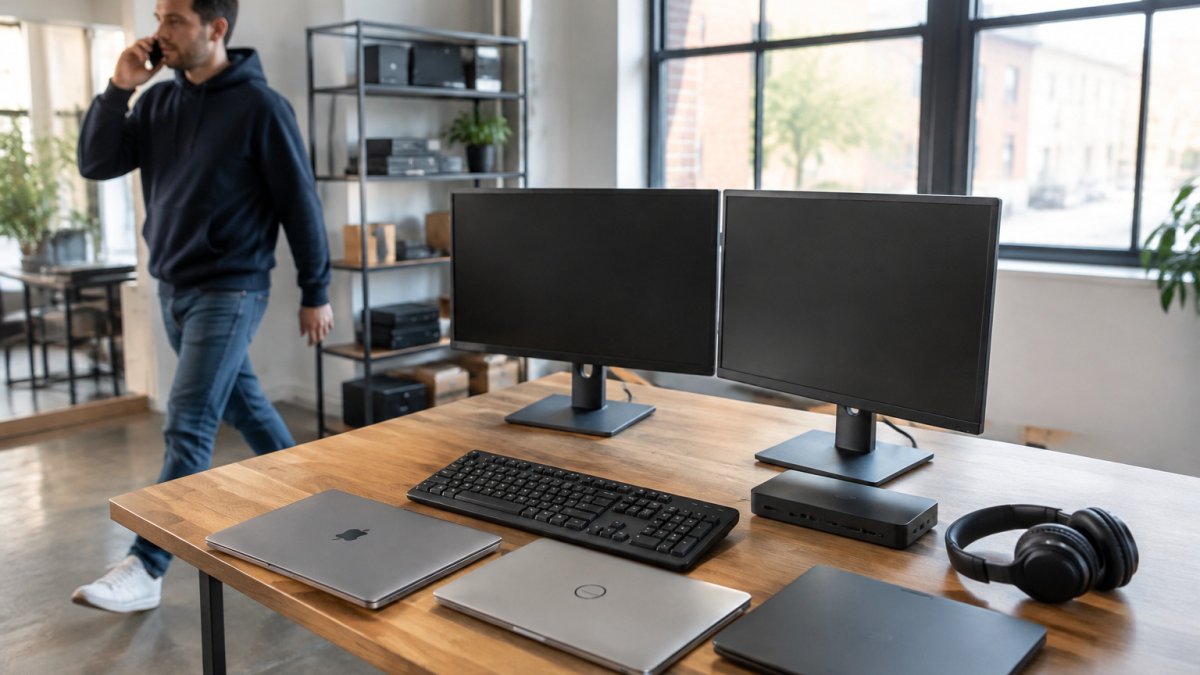
Laptops and Desktops by Role
| Role | Minimum Spec | Refurbished / Surplus Band | Comparable New Price | Notes |
|---|---|---|---|---|
| General admin, sales, support | Intel Core i5 (8th gen or newer), 8GB RAM, 256GB SSD, 13-14 in. | $150-$300 | $550-$850 | The workhorse tier; buy these in lots when you can |
| Developer, designer, analyst | Core i7 or Ryzen 7, 16GB RAM (32GB preferred), 512GB SSD, external monitor | $300-$600 | $900-$1,500 | RAM and SSD matter more than screen size |
| Field, warehouse, clinic staff | 2-in-1 or rugged, 8GB RAM, 256GB SSD, all-day battery | $200-$400 per unit | $600-$1,000 | Check battery health before purchase |
| Shared workstation | Small-form-factor desktop, Core i5, 8GB RAM, 256GB SSD | $120-$250 | $450-$700 | Desktops last longer and are cheaper to repair |
| Solo founder / kiosk | Chromebook or thin client, 4GB RAM | $30-$120 | $200-$350 | Fine for browser-based work only |
Comparable New Price
A common pattern is to buy one hardware family per role so chargers, docks, and spare parts interchange. Mixed fleets look cheaper on the invoice and cost more in troubleshooting and duplicate accessories.
Peripherals and Accessories Per Seat
Do not leave peripherals out of the budget. They are the line item founders forget, and they add up fast across a team.
| Item | Refurbished / Surplus Band | Comparable New Price |
|---|---|---|
| 24 in. monitor | $40-$90 | $120-$200 |
| Docking station (business-grade) | $30-$80 | $150-$300 |
| Keyboard and mouse set | $10-$25 | $40-$80 |
| USB headset with microphone | $15-$35 | $50-$120 |
| Laptop bag or sleeve | $10-$20 | $30-$60 |
Budget roughly $100 to $250 per seat for peripherals on the refurbished side, or $350 to $700 if you buy everything new. On a 10-person team that difference alone can fund a spare laptop or two.
Shared Network and Office Infrastructure
Shared infrastructure is where budget startups underinvest. A business-grade switch with cloud management, such as the Ruckus ICX7150 listed in our catalog, is one option for a shared office network.
Software and Subscription Line Items
Hardware is only half the list. Plan for these recurring costs per seat per month:
- Productivity suite: $6-$22 per user
- Endpoint protection: $3-$8 per device
- Password manager: $3-$6 per user
- Cloud backup: $5-$10 per device
- Device management (if used): $2-$6 per device
At the low end that is roughly $19 per seat per month; at the high end, closer to $52. Multiply by headcount and by 12 before you commit to a hardware number, because subscriptions are the cost that outlives the laptop.
Watch out: a listing without a test report, stated battery capacity, or a stated processor generation is a gamble, not a deal, the savings evaporate the first time a machine fails in week two. Before buying used hardware, read our guide on how to test used computer hardware before you buy. If you want to skip the OS license cost, browse our laptops without operating system.
Refurbished Laptop Benefits for Startups
The refurbished laptop benefits for startups come down to cash. Purchasing refurbished equipment can save startups 30% to 50% on technology and office furniture costs, according to First Citizens Innovation Banking's startup cost reduction strategies.
The catch is condition variance. Our step-by-step guide to verifying refurbished laptop condition covers exactly what to inspect, and our article on the benefits of buying refurbished tech makes the broader financial case.
Watch out: a listing without a test report or stated battery capacity is a gamble, not a deal.
Government Surplus Electronics for Business: A Cheaper Supply Channel
Government surplus electronics for business works because agencies retire equipment on fixed cycles, not when it breaks. That steady flow of off-lease laptops and network gear is why surplus lots often beat retail refurbished pricing.
The tradeoff is unpredictability. Inventory changes weekly, and lots sell as-is with condition notes attached. Our safe guide to buying government surplus laptops walks through the process step by step.
Budget Tiers by Team Size and Work Model
Budget tiers should shift with team size and whether people work in an office or remotely. Remote teams spend less on network gear and more on laptops and headsets.
| Team Size | Work Model | Hardware Budget | Priority |
|---|---|---|---|
| 1 to 3 | Remote | $600 to $1,200 total | One good laptop each, cloud tools |
| 4 to 10 | Hybrid | $2,000 to $4,000 | Laptop lots, one shared dock, basic switch |
| 11 to 25 | Office | $5,000 to $9,000 | Standardized fleet, business network, spares |
| 25+ | Office | $10,000+ | Managed devices, replacement cycle, security |
Small businesses typically spend between $1,000 and $3,000 per user annually on IT, per The Network Installers' annual per-user IT expenditure data. Buying refurbished hardware pulls that figure toward the low end.
Total Cost of Ownership, Security, and Replacement Reserves
Total cost of ownership over three to five years is what separates a cheap purchase from a costly one. The purchase price is the smallest part of the number. Build the model per device, then multiply by fleet size.
The Three-to-Five-Year TCO Model
For each laptop, add up:
- Purchase price (refurbished or new)
- Warranty or support coverage for the period
- Expected repairs outside warranty
- Replacement battery (usually once in years two to four)
- Accessories and docks
Subscriptions are often the largest cost over a laptop's life, which is why a founder who saves on hardware but pays full retail for software and security has optimized the wrong line.
A new laptop carries a higher purchase price but may offer more predictability, while a refurbished machine can preserve cash flow. The right choice depends on your own cost model.
Security and Device Management Costs
Security and device management are the lines startups forget, and they are not optional once you hold customer data or take payments. Budget per seat per month for:
- Endpoint protection and anti-malware: $3-$8
- Identity and password management: $3-$6
- Multi-factor authentication (often bundled with identity tools): $0-$3
- Cloud backup: $5-$10
- Device management or remote monitoring: $2-$6
- Email security and filtering: $2-$5
That is roughly $15 to $38 per seat per month before you add industry-specific compliance tools. Skipping these to save money is the most common false economy in startup IT: a single ransomware incident or lost laptop typically costs more than a decade of endpoint licenses for a small team.
Replacement Reserves and Refresh Cycles
Set aside 10% to 15% of hardware spend annually as a replacement reserve, so a failed laptop is an inconvenience rather than a crisis. Technical debt from aging systems can consume a large share of an IT budget, per The Network Installers' analysis of legacy system costs, which is why the reserve exists: it converts an unpredictable emergency into a planned expense.
A simple mechanism: open a separate account, fund it monthly at one-thirty-sixth of your three-year hardware replacement cost, and draw from it only for replacements. Founders who do this stop raiding the operating budget every time a screen cracks.
The False-Savings Trap
The cheapest device on the listing is rarely the cheapest device to own. A $30 Chromebook with 4GB of RAM cannot run the tools most teams need by year two, so it gets replaced early, and the replacement cost lands on top of the original purchase.
Watch out: a refurbished device with no stated battery health or warranty is a TCO unknown, not a TCO saving, price the replacement battery and the risk into the model before you buy.
Frequently Asked Questions
What is the average IT equipment cost for a new startup?
A lean first-year setup can land well below that per-user figure by buying tested refurbished laptops and lots instead of new business-grade devices. Itemize hardware, software, network gear, and a contingency line before you commit.
Is it better to buy refurbished or new IT equipment for a startup?
Refurbished equipment can help preserve cash flow. The trade-off is that you must read the test report on each listing, since battery health and specific ports may be flagged. Buy new only where a warranty or a specific performance spec is non-negotiable, such as a design workstation or a machine running heavy local software.
How can I minimize IT infrastructure costs during the first year?
Three levers do most of the work. First, standardize on one or two device models so spares and chargers interchange. Second, consider upgrading RAM and SSDs on existing machines rather than replacing whole devices. Third, use open-source or low-cost cloud software instead of per-seat licenses you do not need yet.
What are the essential IT hardware items every startup needs?
At minimum: one laptop per employee, a charger for each, a monitor and keyboard for anyone at a desk more than half the time, a docking station for hot-desk setups, headphones for calls, and a business-grade router or switch for the office network. Add a backup drive or cloud backup subscription. Peripherals and network gear are the items founders most often forget, and they are cheap to buy in lots alongside laptops.
How do I balance quality and cost when buying office technology?
Set a performance floor first: 8GB of RAM and a 256GB SSD handle most startup work, while 16GB suits developers and designers. Then buy the cheapest tested device that clears that floor. Cheap entry-level equipment can cost more long-term through failures and slowdowns, so check the test report and battery capacity before bidding. A device at 85% battery health with a clean stress test is a better buy than a faster machine with a failed port.