 how-to
7 Sustainable Ways to Buy Tech That Save Money in 2026
Last Updated: November 4, 2026
Quick Summary
The most effective sustainable ways to buy tech are buying refurbished or tested government surplus devices, repairing what you own, and choosing accessories built to last. A tested refurbished business laptop at $180 costs far less than a $500 new machine while displacing most of its manufacturing footprint.
- A tested Dell Latitude 3380 with i5, 8GB RAM and 256GB SSD lists at $180.
- A Lenovo ThinkPad T14 Gen 2 with 16GB of RAM lists at $190.
- Check battery health percentage, included charger, and warranty before buying pre-owned.
- A $180 refurbished laptop plus $60 battery and $30 case totals about $270 over three years.
- KVS Computers, parent of KVSAuctions.com, holds R2V3 certification for electronics recycling.
Table of Contents
- Why Sustainable Tech Purchasing Pays Off in 2026
- Sustainable Ways to Buy Tech Laptops Without Overpaying
- Buy Refurbished Electronics: The Fastest Route to Lower E-Waste
- Are Ethical Laptop Brands Worth the Premium?
- Repair, Reuse, and Extend: Getting More Years From Every Device
- Electronics Recycling and Responsible End-of-Life Disposal
- Accessories, Cases, and Chargers That Cut Resource Consumption
- Register at KVSAuctions.com to Start Bidding on Tested Surplus Tech
- Frequently Asked Questions
Why Sustainable Tech Purchasing Pays Off in 2026
According to CustomCy's sustainable e-commerce statistics, 72% of global consumers say they actively buy more environmentally friendly products, and 58% will pay a premium for them.
The strongest signal sits with younger buyers. Capital One Shopping's eco-conscious consumer research found that 73% of Millennial consumers weigh sustainability when choosing brands, and 67% prefer to buy from sustainable ones. Device purchases are no exception.
The catch most guides skip: a sustainability label is a claim, not a guarantee. The FTC's Green Guides exist precisely because some environmental marketing misleads buyers.
Sustainable Ways to Buy Tech Laptops Without Overpaying
Buying a laptop sustainably means matching the device to the job, then buying the least-new hardware that does it well. A $180 refurbished business laptop with 8GB of RAM can handle coursework and spreadsheets, and it costs well below a $500 machine.
A Step-by-Step Decision Framework for Your Next Device
- Define the heaviest task. Writing and browsing, or video editing? Write it down.
- Set a hard budget ceiling, including any buyer's premium and shipping.
- Check the software support window. Ask how long the operating system receives security updates.
- Compare new versus refurbished pricing for the same spec tier.
- Verify condition evidence. Demand a test report, not a photo.
- Confirm the return or warranty terms before you bid.
- Calculate total cost of ownership over three years, including a possible battery replacement.
If you're buying government surplus specifically, our guide on the safe way to buy government surplus laptops walks through this process step by step.
How to Evaluate Sustainability Claims and Certifications
Treat every green claim as a question. Ask which specific materials are recycled, what percentage, and who verified it. Vague phrases like "eco-friendly" carry no fixed meaning. Look for named certification programs, published test data, and take-back or trade-in terms. If a seller can't answer in specifics, that silence is your answer.
Buy Refurbished Electronics: The Fastest Route to Lower E-Waste
Refurbished electronics are previously owned devices that have been resold rather than scrapped. This is the single biggest lever most buyers have.
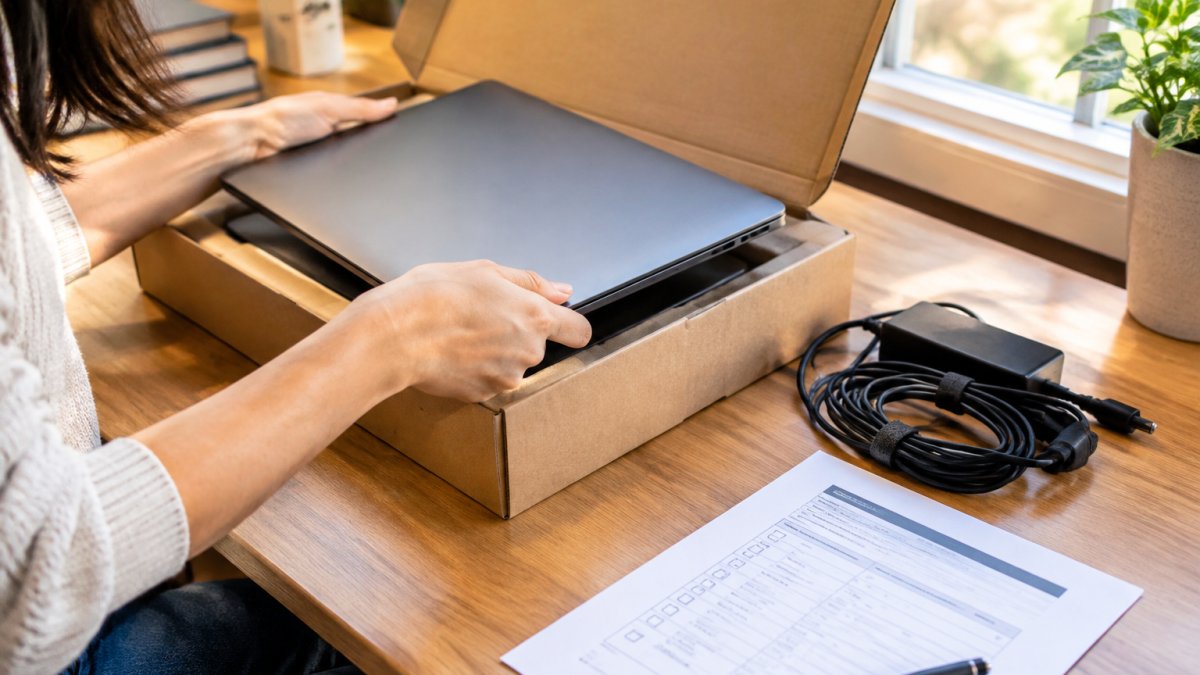
The economics are clear too. A tested Dell Latitude 3380 with an i5 processor, 8GB of RAM, and a 256GB SSD lists at $180.
New Versus Used: The Real Trade-Offs
Used is not automatically greener or cheaper in every case. Weigh these factors before you decide:
-
Remaining useful life. A three-year-old business laptop with strong repairability and several years of operating-system support left usually wins. A device already past its security-update window usually loses, because you will replace it sooner.
-
Battery condition. Lithium-ion batteries degrade with charge cycles and age. A listing that states battery health as a percentage lets you budget for a replacement; one that stays silent is a risk.
-
Shipping and handling. Consolidated, domestic shipments generally carry lower transport impact than multiple small international parcels, though the production savings from buying used usually dwarf the shipping difference.
-
Warranty and returns. A short warranty shifts risk back to you. Factor the cost of one likely repair into your comparison.
The honest conclusion: buy used when the device has documented condition, a stated battery health figure, and enough support life left to justify the purchase. Buy new when you need a specific capability, long support runway, or a warranty you cannot get otherwise, and then keep it as long as possible.
What to Check Before You Buy Pre-Owned Technology
- Battery health percentage, stated in the listing
- Whether a charger is included
- Stress-test results and any failed components
- Operating system installed, or not installed
- Return policy and warranty length
Data privacy deserves its own line because used-device advice often skips it. Before you sign in to any account on a used machine, confirm the drive was wiped, and consider a clean operating-system install from official media.
Our walkthrough on how to verify refurbished laptop condition covers each check in detail, and our guide to testing used computer hardware shows the practical tests to run on arrival. If warranty terms confuse you, refurbished laptop warranty coverage explained clears it up.
Are Ethical Laptop Brands Worth the Premium?
Sometimes yes, often no. Ethical laptop brands that publish supply chain details and design for repair earn their premium when you keep the device five years or more. Fairphone proved the model with a modular smartphone built for user-replaced components, cutting electronic waste through repairability, as documented by Causeartist's coverage of Fairphone.
Dell Latitude 3380 Intel CORE I5-7200U 8GB RAM 256GB SATA SSD Windows 11 Pro →
For budget buyers, a refurbished business-class laptop can deliver much of the environmental benefit at a lower cost. The honest trade-off: you get less transparency about original manufacturing, but you keep working hardware in service.
Repair, Reuse, and Extend: Getting More Years From Every Device
The greenest device is the one you already own. Before replacing anything, price the repair. A battery swap or RAM upgrade often costs far less than a new machine and adds two or three years of useful life. Check whether replacement parts are sold separately and whether the manufacturer publishes repair guides.
Repairability and Software Support by Device Category
Useful lifespan is set by two clocks running at once: how long the hardware can be repaired, and how long the software receives security updates. Whichever runs out first ends the device's safe primary life. Here is how the categories typically differ.
- Business laptops. These are usually the best bet for long life. Many models have user-accessible RAM and storage, batteries that can be replaced with common tools, and published service manuals. Enterprise-focused lines often receive operating-system and firmware security updates for several years, and some vendors publish end-of-support dates you can check before buying.
- Consumer laptops. Repairability varies widely. Soldered RAM and glued batteries are common, which caps upgrades and raises repair cost. Check the manufacturer's support page for the specific model's update commitment before you assume a long runway.
- Smartphones. Battery replacement is the most common repair and the one that most extends life. Screen and port repairs are feasible but vary by design. Operating-system and security-update commitments differ sharply by maker and model, so confirm the published support window, a phone with two years of updates left is a poor long-term buy no matter how good the hardware.
- Tablets. Batteries are often glued in, and repairs frequently require a service center. Software support is the deciding factor; check it first.
- Desktop towers. The most repairable category. Standard parts mean you can replace a power supply, drive, or memory module years later, and a tower can move to a secondary role long after it stops being a primary machine.
A practical rule: before buying any device, look up its repair documentation and its published security-update end date. If you cannot find both, assume the shorter timeline.
Total Cost of Ownership: The Math That Changes the Decision
Sustainable choices often cost less over time, but only if you count the whole picture. Compare these line items over a three-year horizon:
- Purchase price, including shipping and any buyer's premium.
- Repairs and parts, such as one battery replacement and a possible storage upgrade.
- Accessories, like a durable charger and a protective case.
- Energy use, which is usually a small share of laptop cost but worth estimating for desktops and monitors.
- Resale or trade-in value, which recovers part of the outlay and keeps the device in circulation.
A worked example: a $180 refurbished business laptop plus a $60 battery in year two and a $30 case totals about $270 over three years. A $500 new laptop with no repairs totals $500, and it may hold more resale value, but the refurbished unit still usually wins on both cost and avoided manufacturing impact. Run the numbers for your own use case rather than assuming new is cheaper or used is greener.
Software support sets the real ceiling. When security updates stop, the device should move to a secondary role: a backup machine, a media server, or a donation. Plan that handoff instead of letting a working laptop sit in a drawer.
Electronics Recycling and Responsible End-of-Life Disposal
Electronics recycling means recovering materials from devices that truly cannot be reused. The order matters: reuse first, then recycle. Wipe your data before disposal, and use a recycler that certifies its downstream handling.
Watch out: dropping a laptop in a curbside bin can send it to a landfill and exposes your data. Use a take-back program or certified recycler instead.
Accessories, Cases, and Chargers That Cut Resource Consumption
Accessories are where sustainable buying gets easy. One durable USB-C charger can replace a drawer of mismatched bricks. A single quality cable outlasts five cheap ones. Choose a protective case that fits your device precisely and is built to survive drops, so a cracked screen never forces a replacement.
Buy fewer, better accessories and keep them. Wireless charging pads reduce port wear, which extends the life of the connector that usually fails first. Small choices, compounded over years, keep devices out of the e-waste pile.
Register at KVSAuctions.com to Start Bidding on Tested Surplus Tech
Sustainable buying works best when the condition is verifiable. Listings on KVSAuctions.com include test information, so you can review what was tested before you bid.
| What You Need | Where to Start |
|---|---|
| A cheap, capable student laptop | Dell Latitude 3380 lot, $180 |
| More RAM for heavier work | Lenovo ThinkPad T14 Gen 2, $190 |
| A premium ultraportable | MacBook Air M2, $500 |
| Two devices on a tight budget | Dell Latitude 3190 2-in-1 pair, $240 |
Register at KVSAuctions.com for access to government surplus electronics and auction, fixed-price, and classified listings. Our parent company, KVS Computers, holds R2V3 certification for electronics recycling. Browse live laptop listings and place your first bid.
Frequently Asked Questions
Is buying refurbished electronics better for the environment?
In most cases, yes. A refurbished device reuses the chassis, screen, and often the battery, so it avoids the manufacturing emissions and raw-material extraction of a new unit. The environmental gain depends on condition and support life: a tested machine with a fresh operating system and a documented battery health reading will last longer than an untested one. Check the test report, confirm the OS is installed, and ask about the battery's reported capacity before you buy.
What should I check before buying used electronics?
Start with the test report. Confirm the CPU, RAM, and storage match the listing, and look for any failed components such as USB ports or Wi-Fi. Check whether an operating system and charger are included, since those add to your total cost. Ask for the battery's reported capacity, and note whether the listing is a single unit or a lot. Finally, read the return policy so you know your recourse if the item arrives not as described.
How can I tell whether a laptop is sustainably made?
Look for verifiable claims rather than marketing language. Repairability scores, published software-support timelines, and certified recycling partners are concrete signals. Recycled or plant-based materials help, but a long support life and available replacement parts usually matter more for the device's total footprint.
What should I do with old electronics when I replace them?
Wipe your data first, then choose a route that keeps the device out of landfill. Trade-in and take-back programs are the simplest option, and manufacturer or retailer buyback schemes often pay something toward your next purchase. If the device still works, donating it extends its life. For anything broken, use a certified electronics recycling partner, ideally one audited to a recognized standard such as R2V3, so materials are recovered and data is destroyed properly.
The challenge is simple: buy less new hardware this year than last. Get started with KVSAuctions.com to find tested surplus tech, compare real condition reports, and keep working devices in service longer.